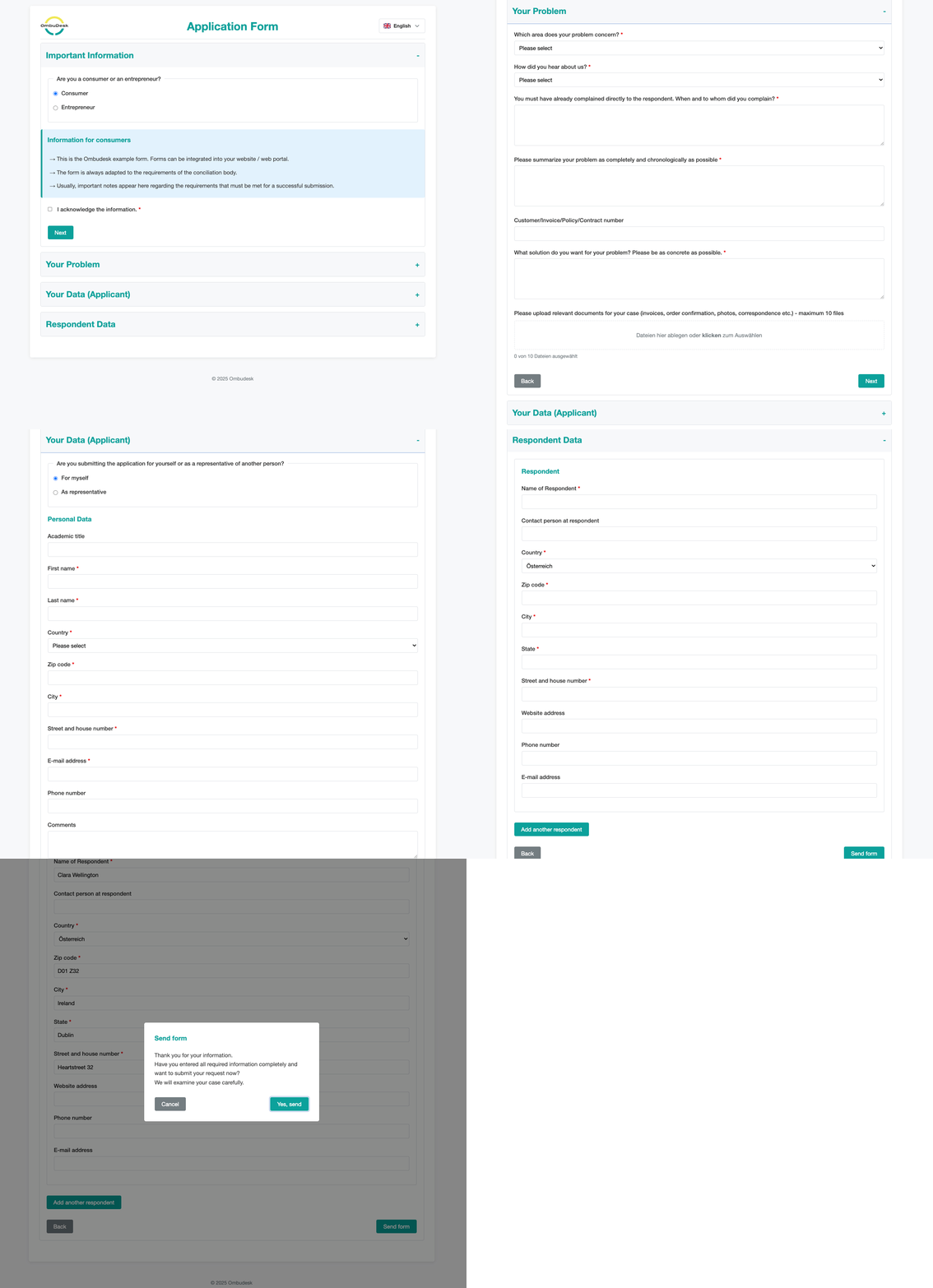
Application form
OmbuDesk includes one customized application form as standard and supports multiple additional forms if required. Each form is tailored to match your organization's branding and visual identity. We integrate the forms into your website free of charge.
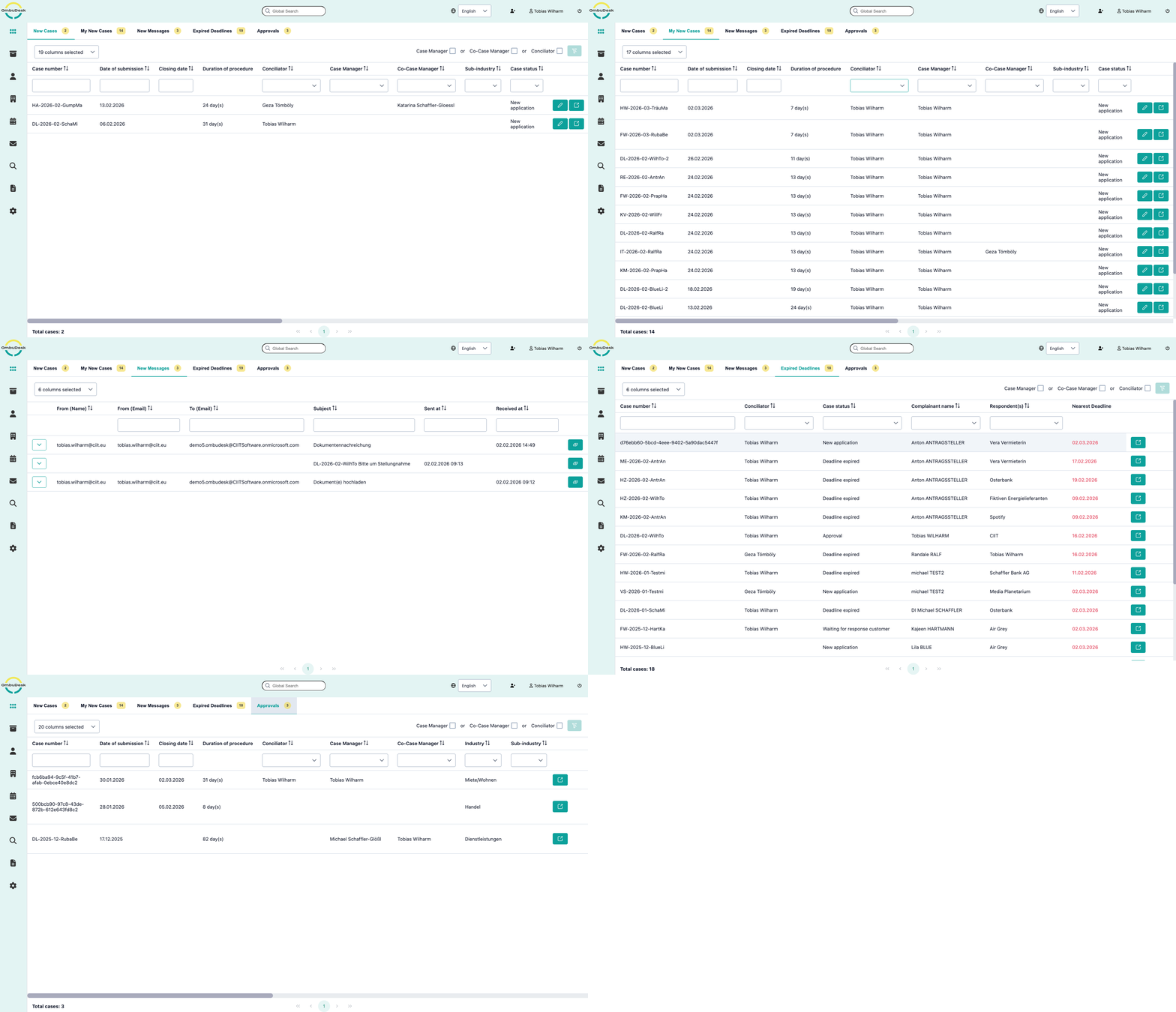
Dashboard
Always maintain an overview in the well structured Dashboard of OmbuDesk. You can easily recognize complaints that require an action. This can be a new message, expired deadline, pending approval or an other event that demands your attention.
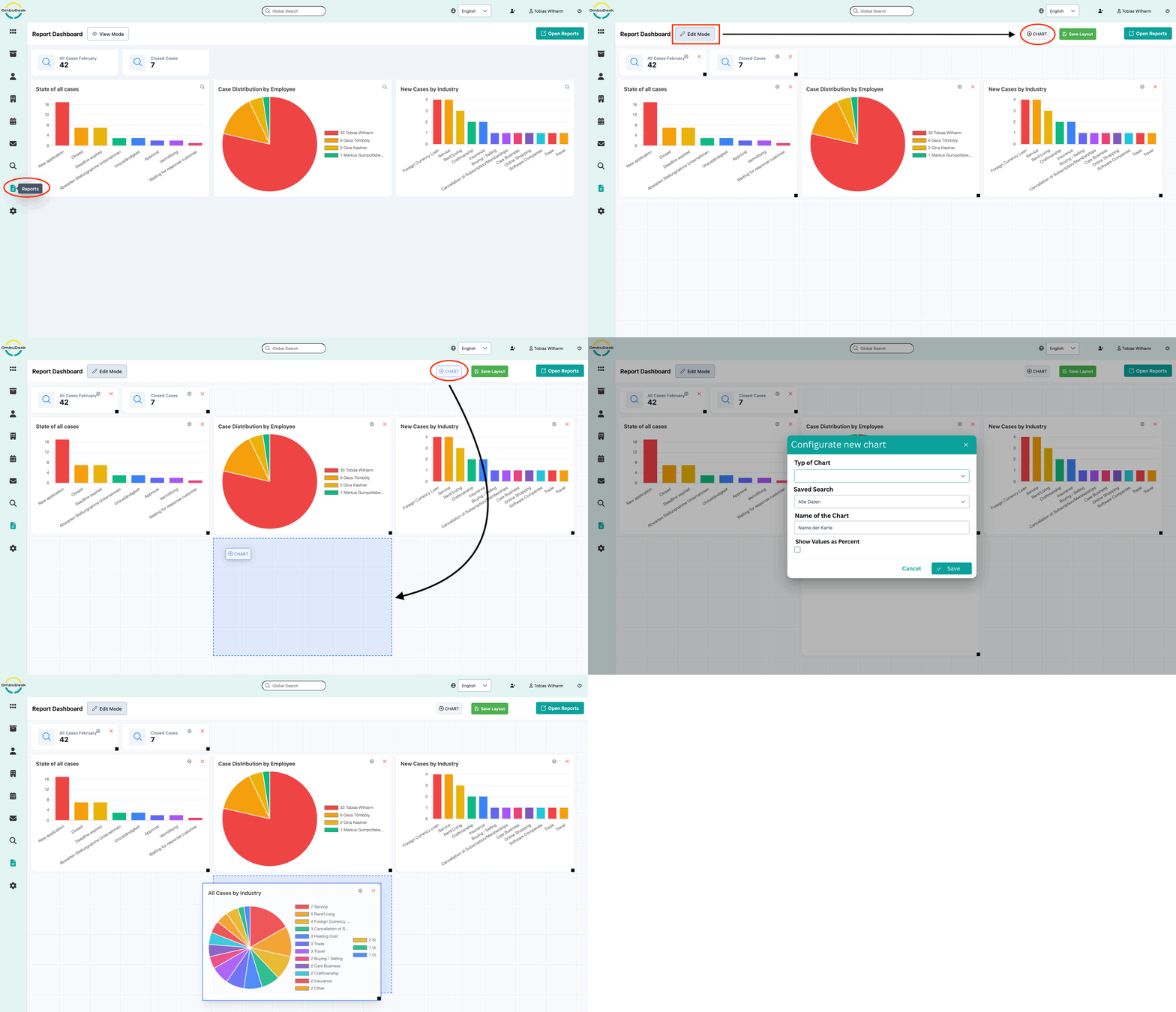
Visual Overview
Keep track of important data and KPIs for your dispute resolution office by visualizing them. Simply customize the visual overview to fit your needs. You can pick out of multiple different chart types and use any available data in OmbuDesk.
Digital Case File
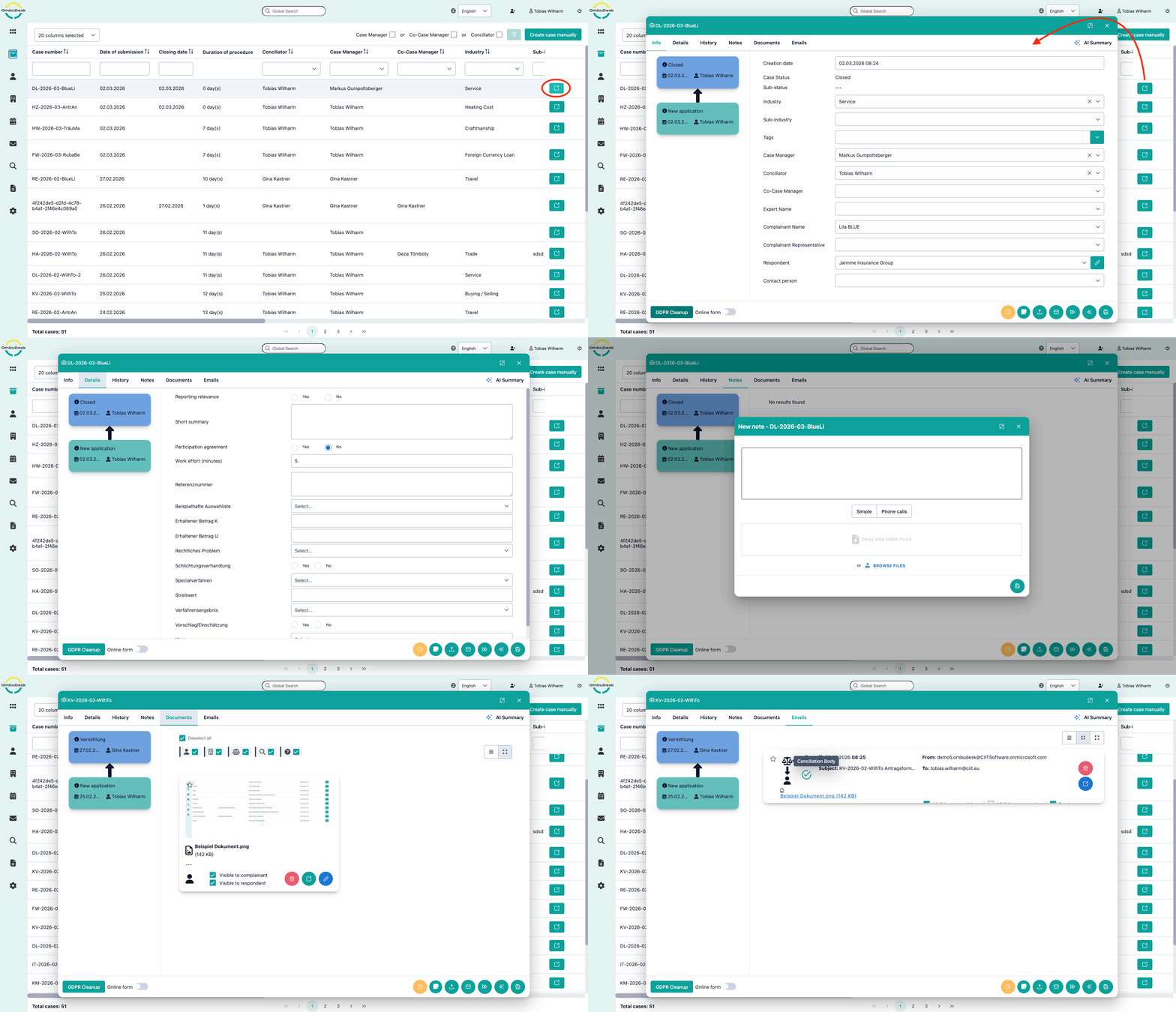
All data is bundled in one digital case file. This includes all information from the application form, but also custom fields, case status, deadlines, approvals, documents, notes and the whole communication. Additionally each performed action leaves a trail to enable easy audits.
Complainant Directory
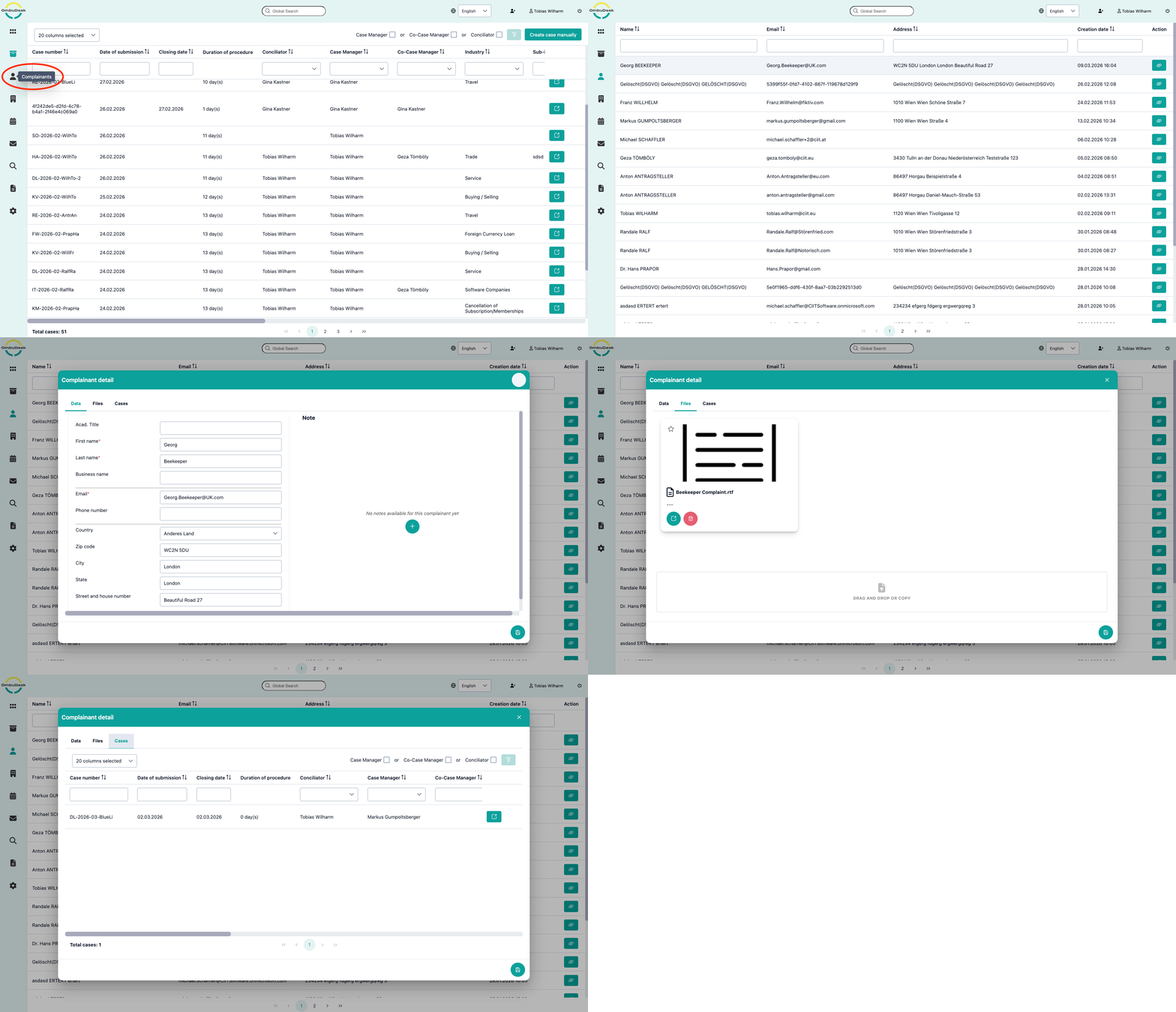
Easily find every complainant and their open cases in one searchable directory. All entries can be edited at all times. Whenever a new complaint is submitted to your dispute resolution office by an unknown complainant a new entry is created. Subsequent messages and document uploads from known complaints get automatically assigned to the correct digital case file.
Respondents Directory
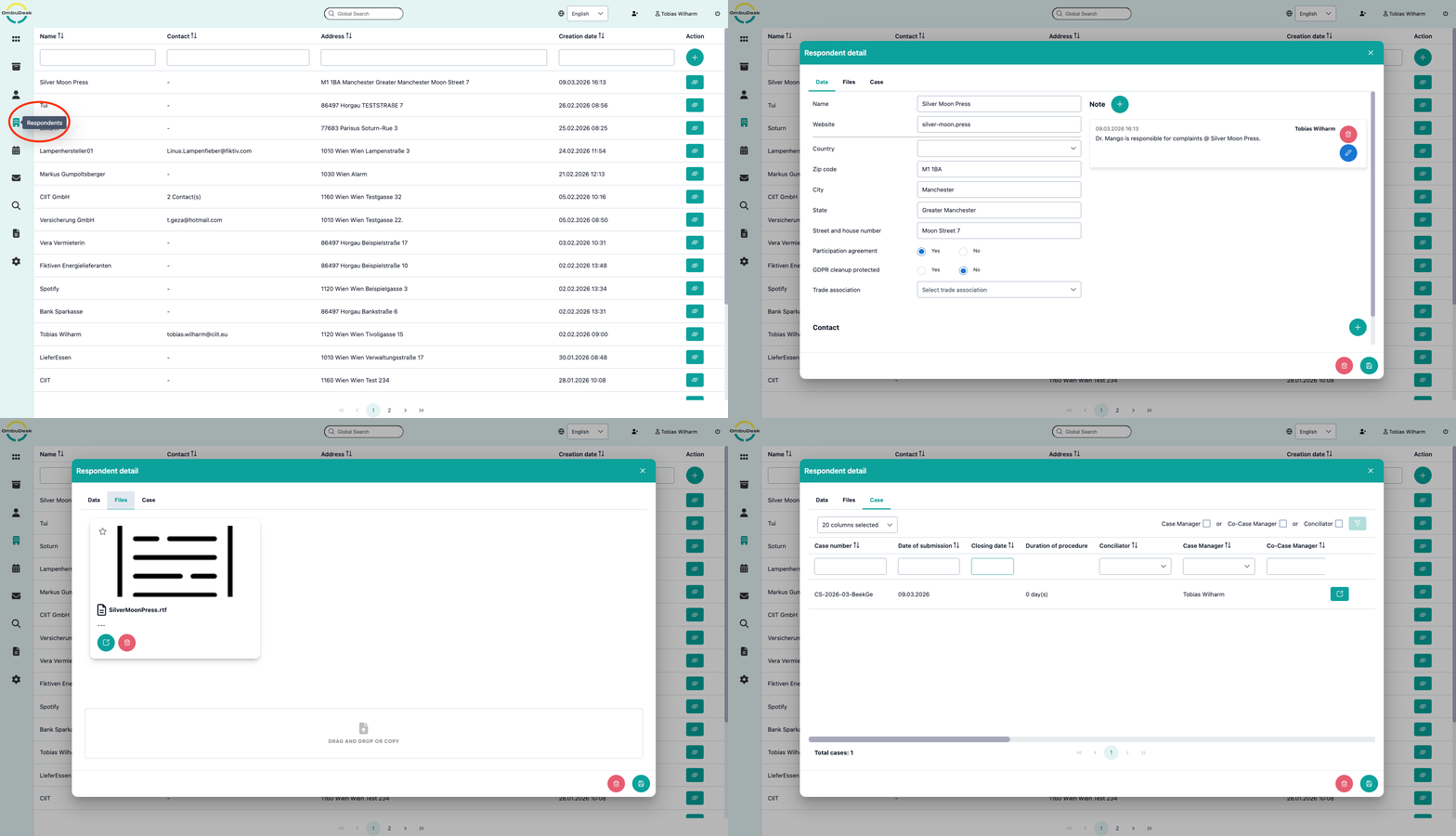
Easily find all respondents and their connected cases in one searchable directory. Each case is assigned to one or more respondent. OmbuDesk suggests respondents for a case based on the information provided by the complainant in the application form. This prevents duplicates, but case managers can also merge respondents to eliminate duplicates in the data. Case managers can also create new respondents and save different direct contact persons at the respondent.
.
Multilingualism (internationalization)
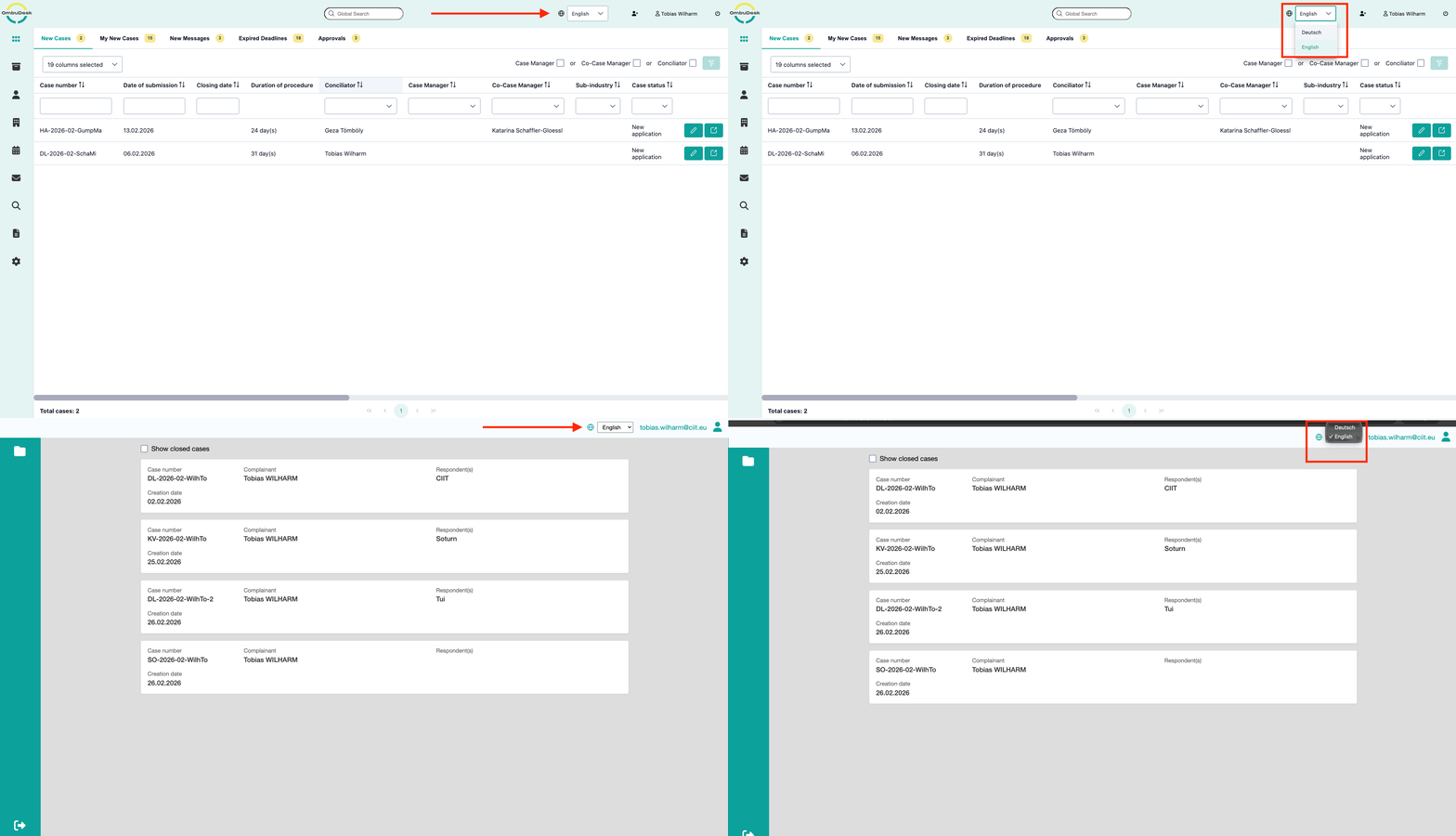
OmbuDesk is currently available in German and English for your dispute resolution office and all external parties. The language displayed depends on the user's browser settings. However, the language can also be changed manually. We are currently working on including more languages. Any additional languages can also be added on request.
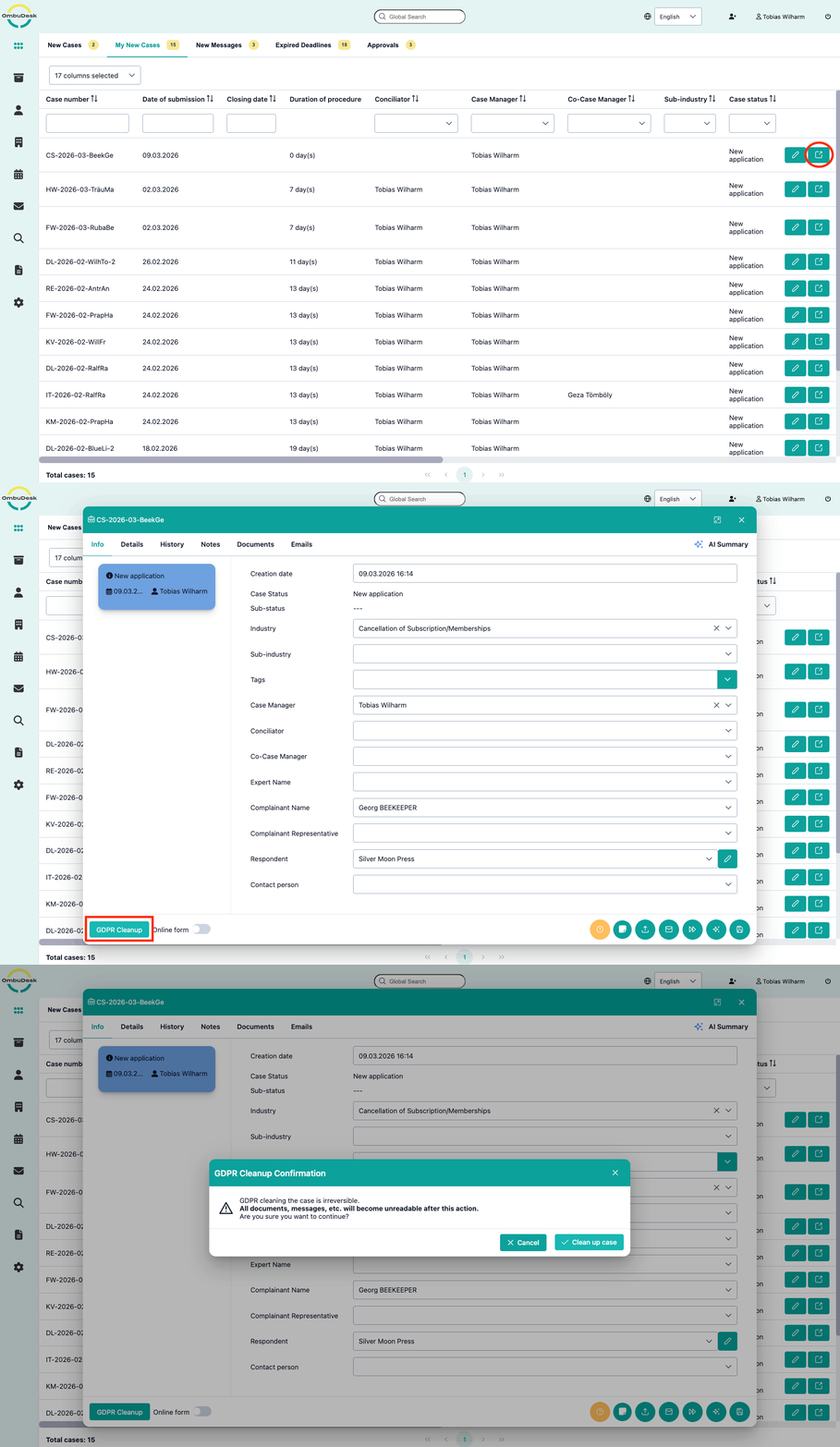
GDPR-compliant deletion of data
Define a retention period after which OmbuDesk automatically deletes GDPR-relevant data. This excludes data that is relevant for statistical analysis and reports such as the number and outcome of complaints that have been resolved. Users also have the option to manually GDPR clean up any digital case file on request by clicking on a single button.
Different communication channels for exchanging messages and documents
between the complainant, the respondent and the dispute resolution body
Portal access for all parties
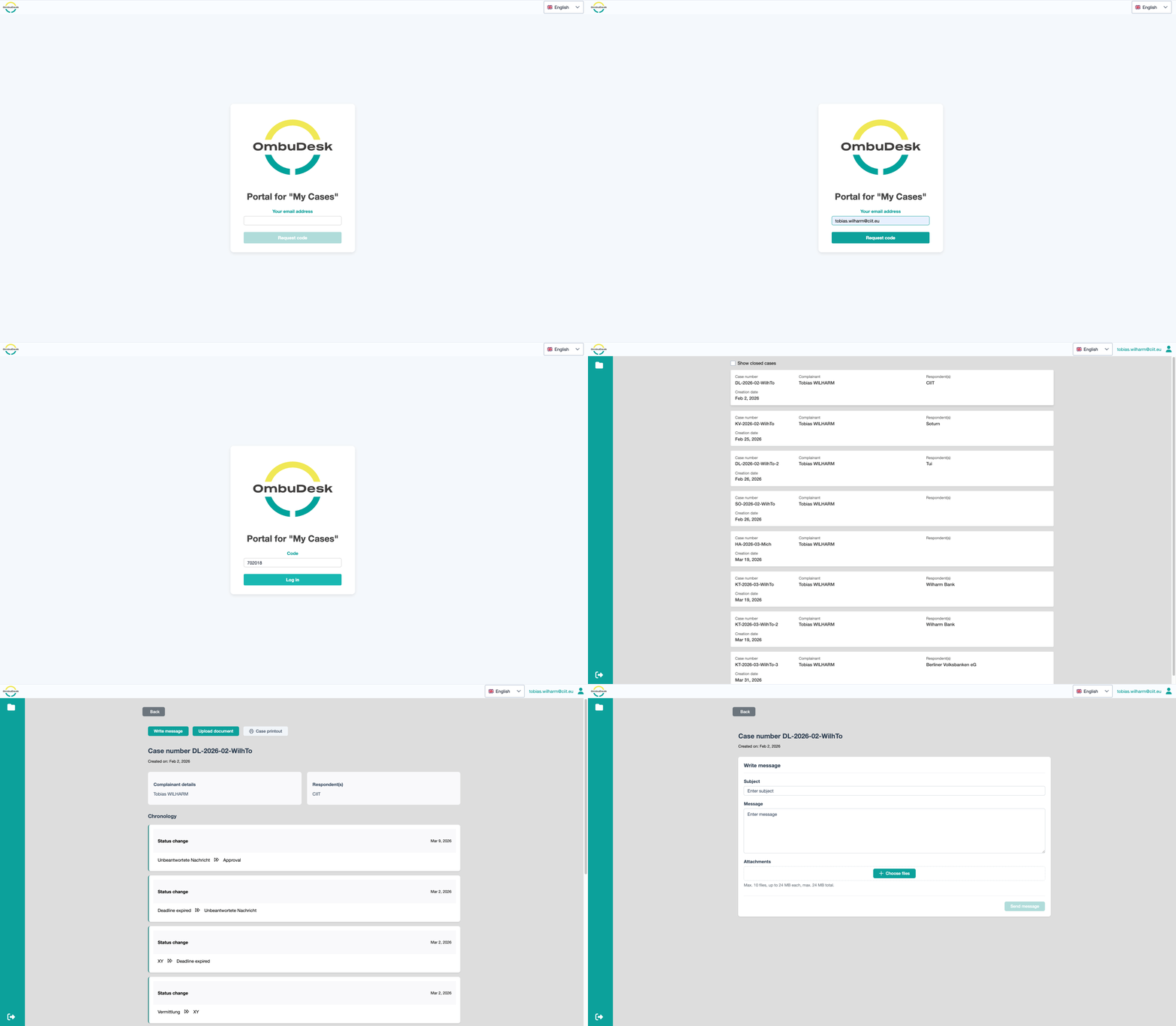
You can choose to provide an accessible portal for all external parties. In the OmbuDesk Portal external parties can send messages, upload documents and keep track of the progress for their open cases. This enables secure communication and document uploads. All communication send through the portal gets automatically added to the correct digital case file. External parties don't have to create an account or remember a password to log in. They just have to enter their email address.
Emails and messages
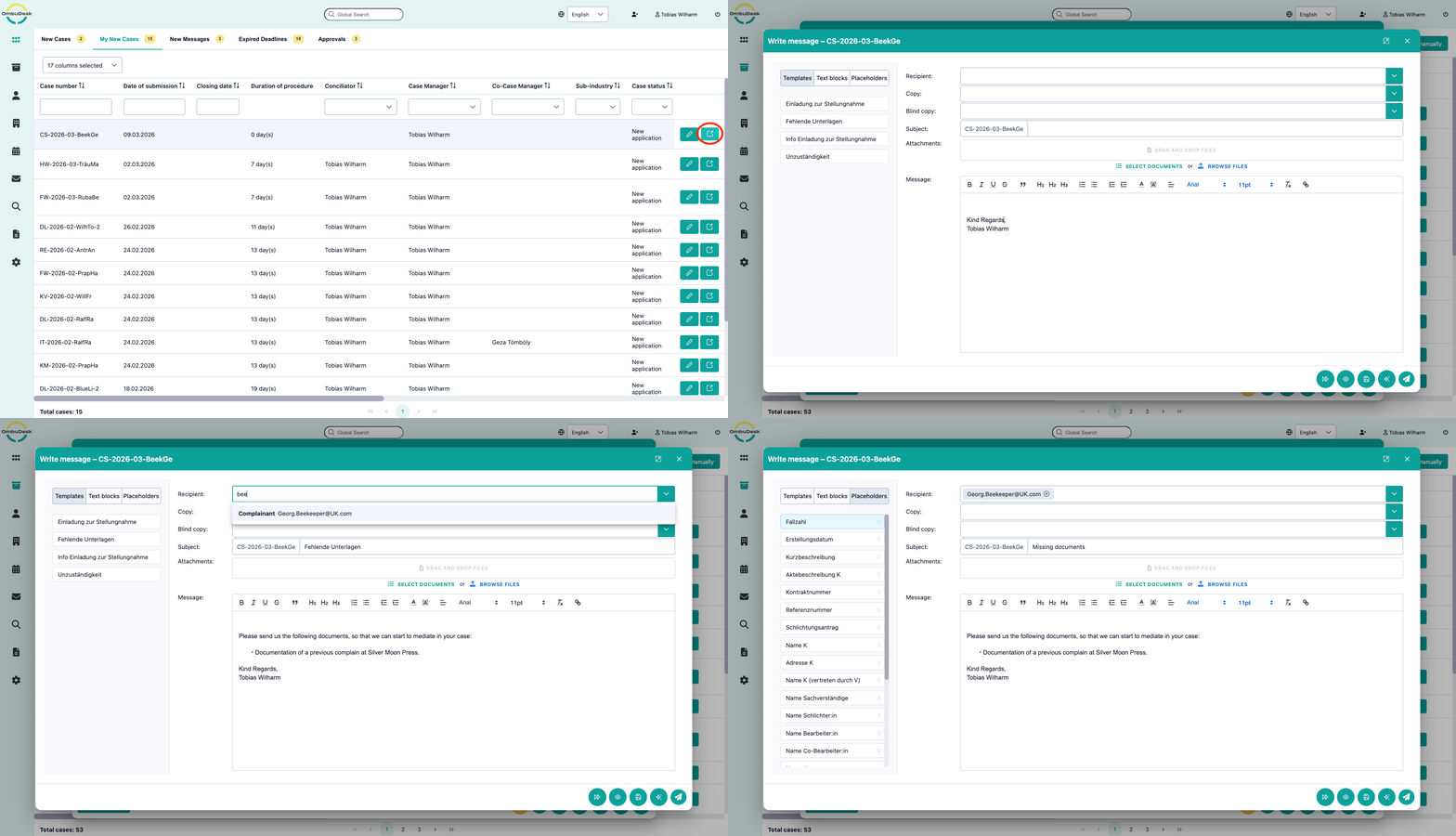
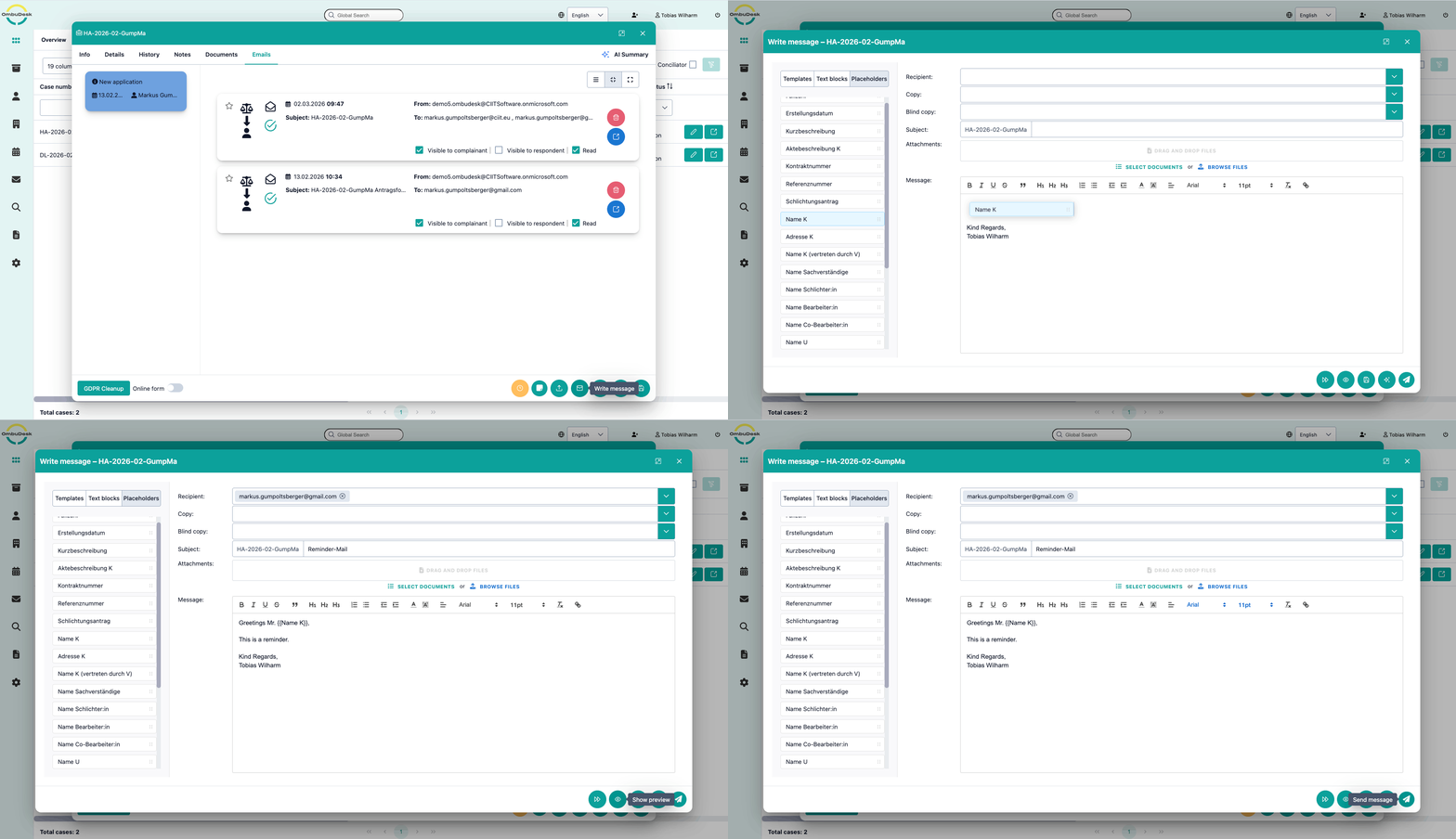
Bundle all communication in one place by using OmbuDesk. Every employee of your dispute resolution office can write and send messages directly in the digital case file. All messages are sent as emails to your external parties, unless the portal is chosen as only communication platform. All incoming communication is automatically assigned to the correct digital case file. Examples of customizing options for messages include email templates, text blocks and signatures.
Phone calls and letters
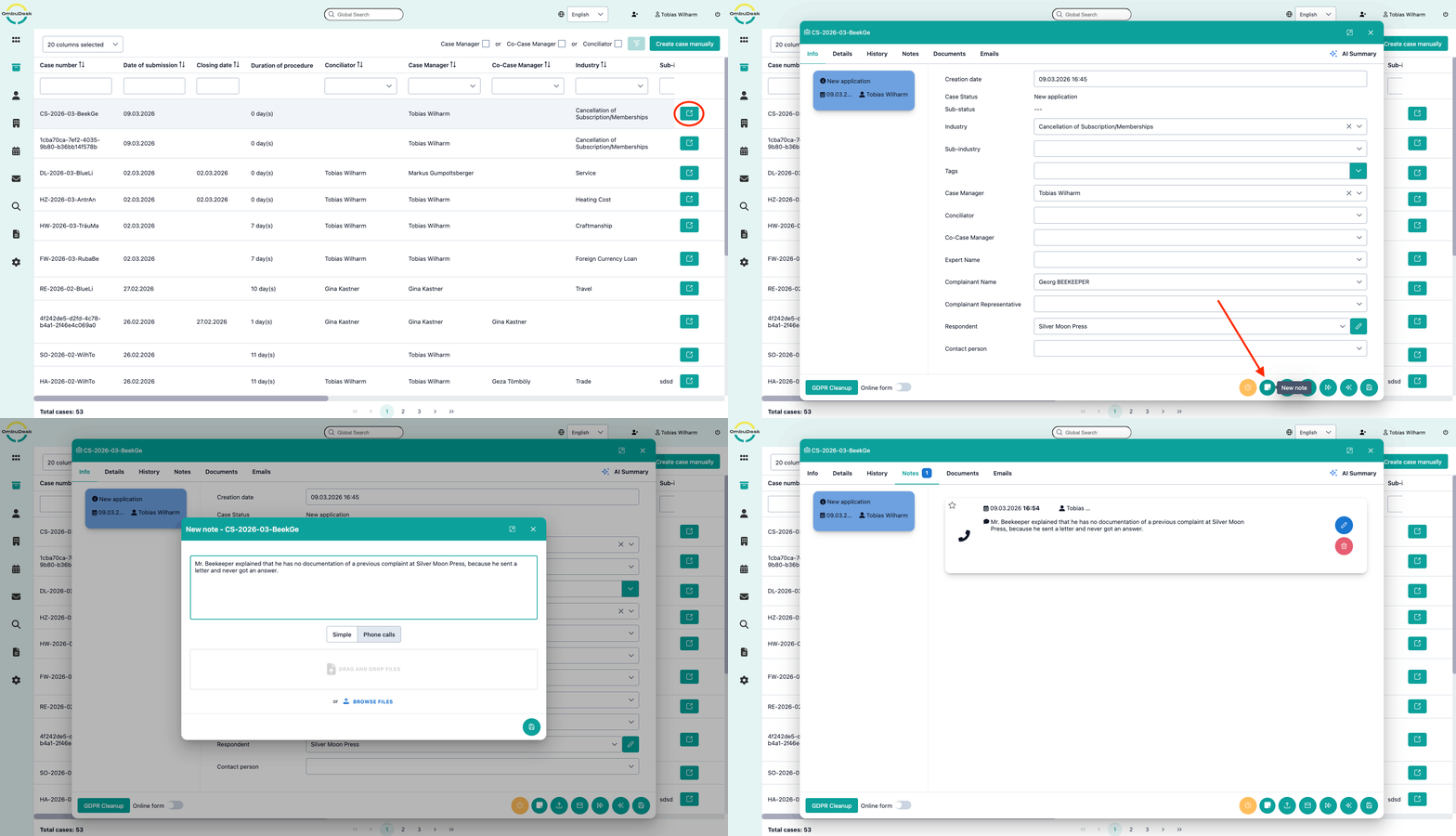
OmbuDesk offers the option of logging phone calls and letters. This may involve information provided by the dispute resolution body without creating a new complaint. However, it may also involve logging phone calls in connection with the processing of a specific complaint. This ensures that telephone calls can be traced retrospectively and form part of the documentation for a specific complaint. A similar function is available for letters, whose receipt and content can be recorded.
Documents
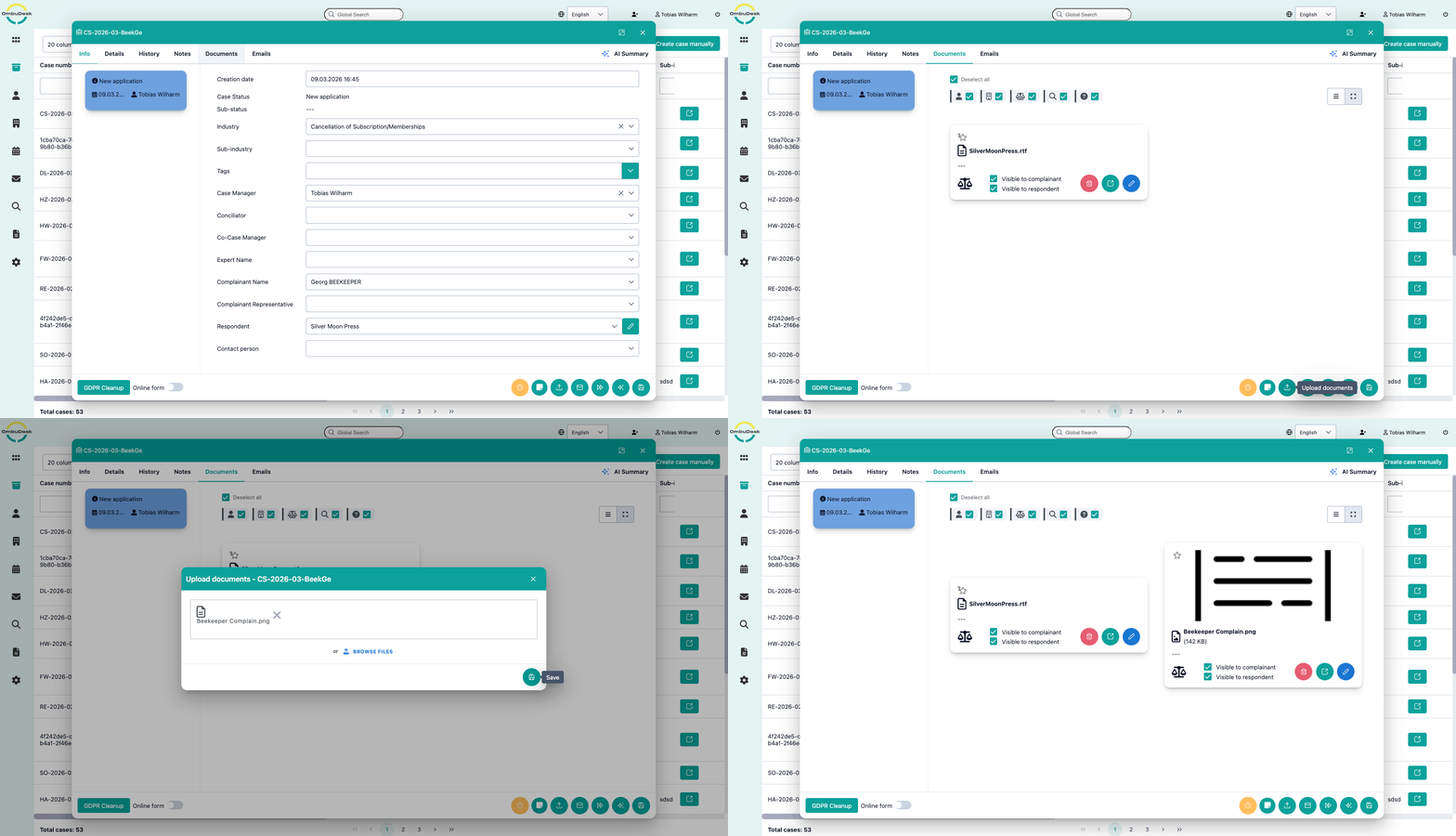
OmbuDesk supports the storage, visibility, and sending of documents at different levels. All parties can upload documents to a complaint. Documents are initially visible in the complaint to the sender and to the dispute resolution body. However, the case manager can extend visibility to other parties. All documents received as email attachments are also automatically added to the complaint. From there, they can be forwarded and their visibility modified. In addition, the dispute resolution body can store standard documents, which can then be sent to other parties or released to them as needed, including in conjunction with email templates.
Messenger apps
In addition to communication via email and portal, it is also possible to integrate messenger apps into the communication flow. This integration is customized according to customer requirements. Examples include sending and receiving via WhatsApp, SMS, or the newer RCS standard, which is now available on both Android and iOS devices.
AI models support case managers and conciliators
with formulations, summaries, translations, and other tasks.
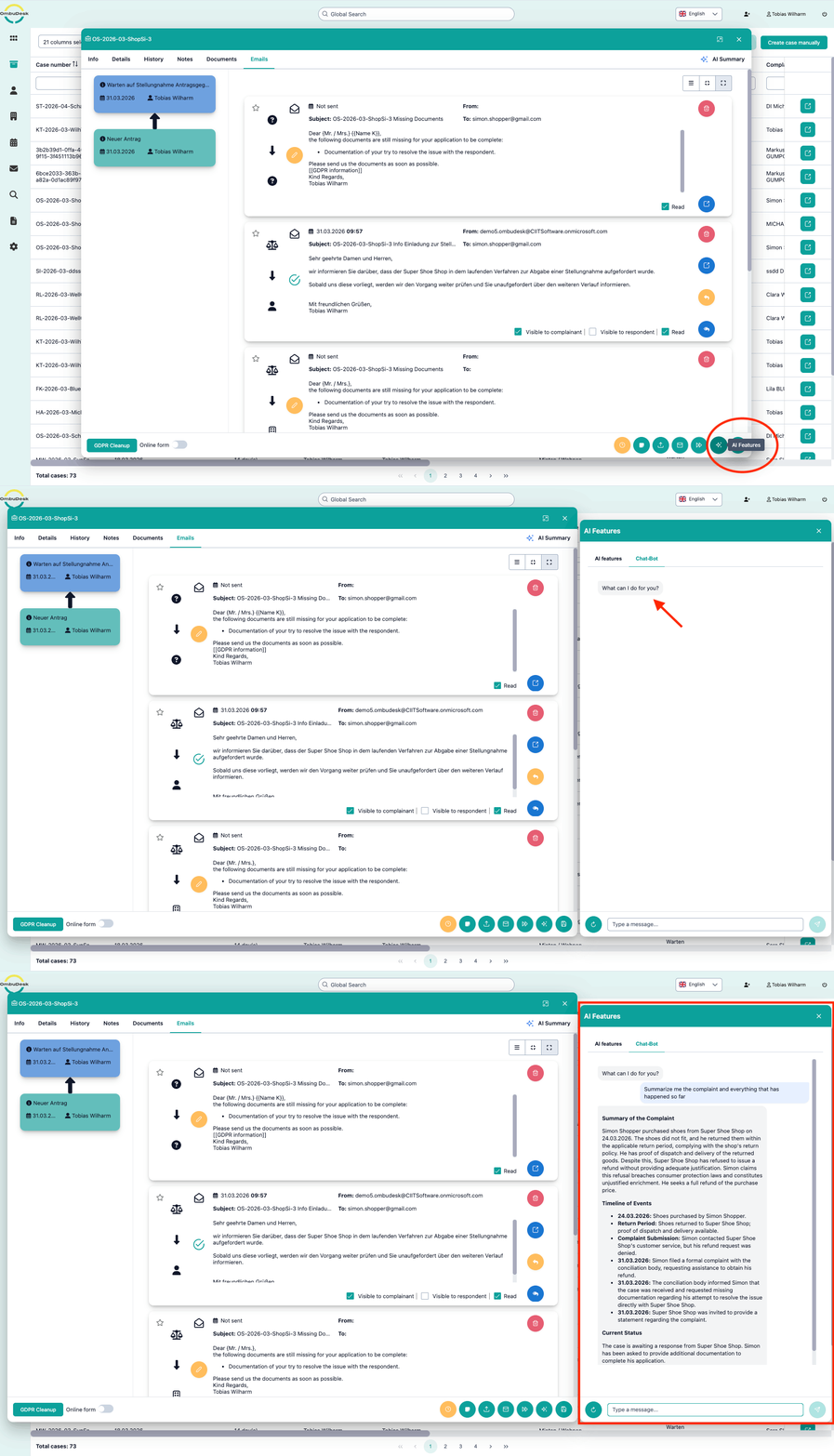
OmbuDesk-Chatbot
The OmbuDesk chatbot can be enabled for case managers and conciliators. You can integrate a language model (LLM) of your choice here. The chatbot is familiar with the details of a case and can assist you by answering specific questions.
Text simplification
It is often necessary to explain complex information, some of which is formulated in legal terms, in a way that can be understood by laypeople. The AI-supported simplification function helps with this by taking on this task and preparing messages accordingly.
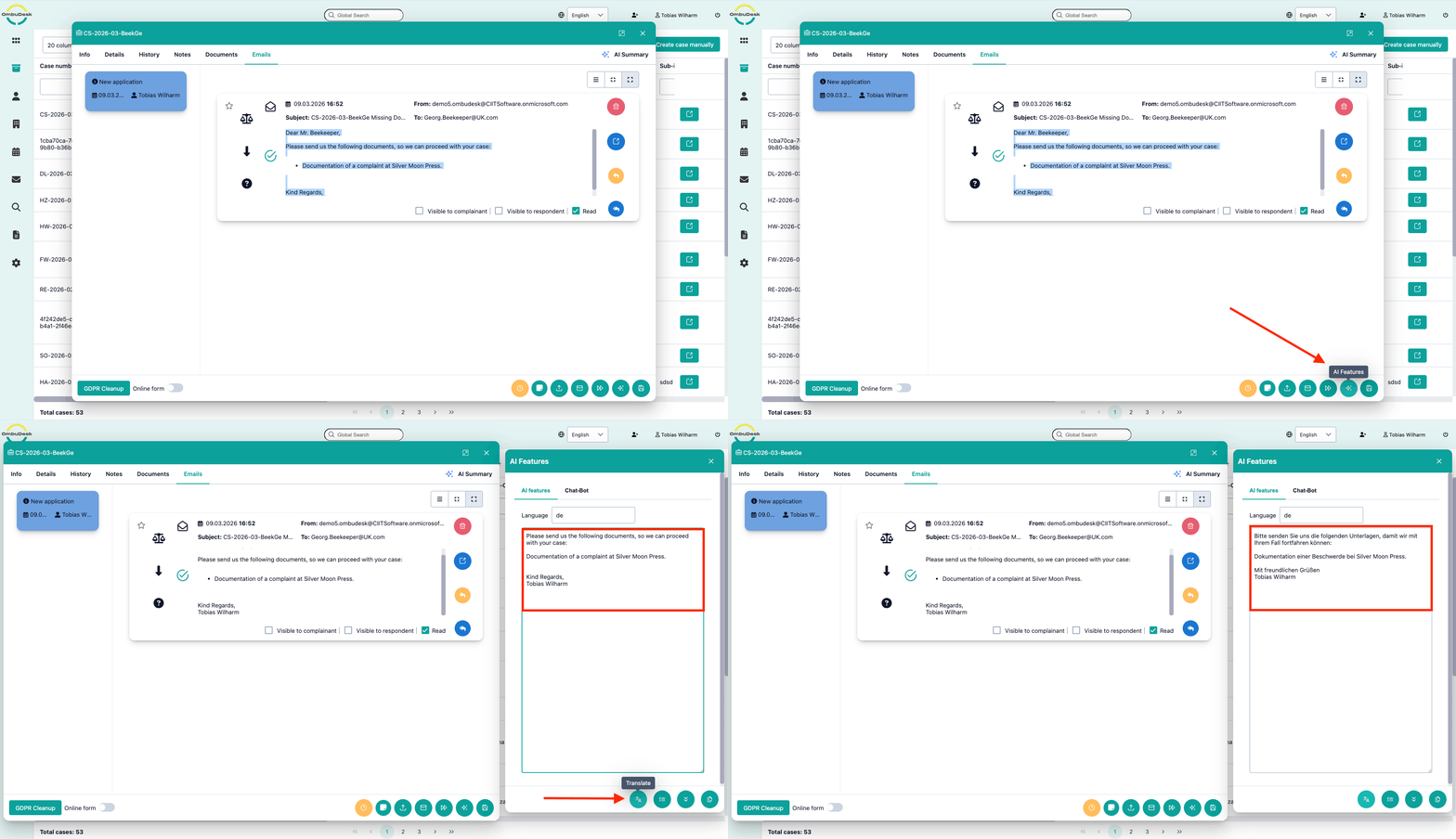
Automated translation
OmbuDesk supports the case manager in translating any type of text. This can include incoming messages from complainants or respondents, but also the translation of outgoing messages. In total, over 50 different languages are supported for translation.
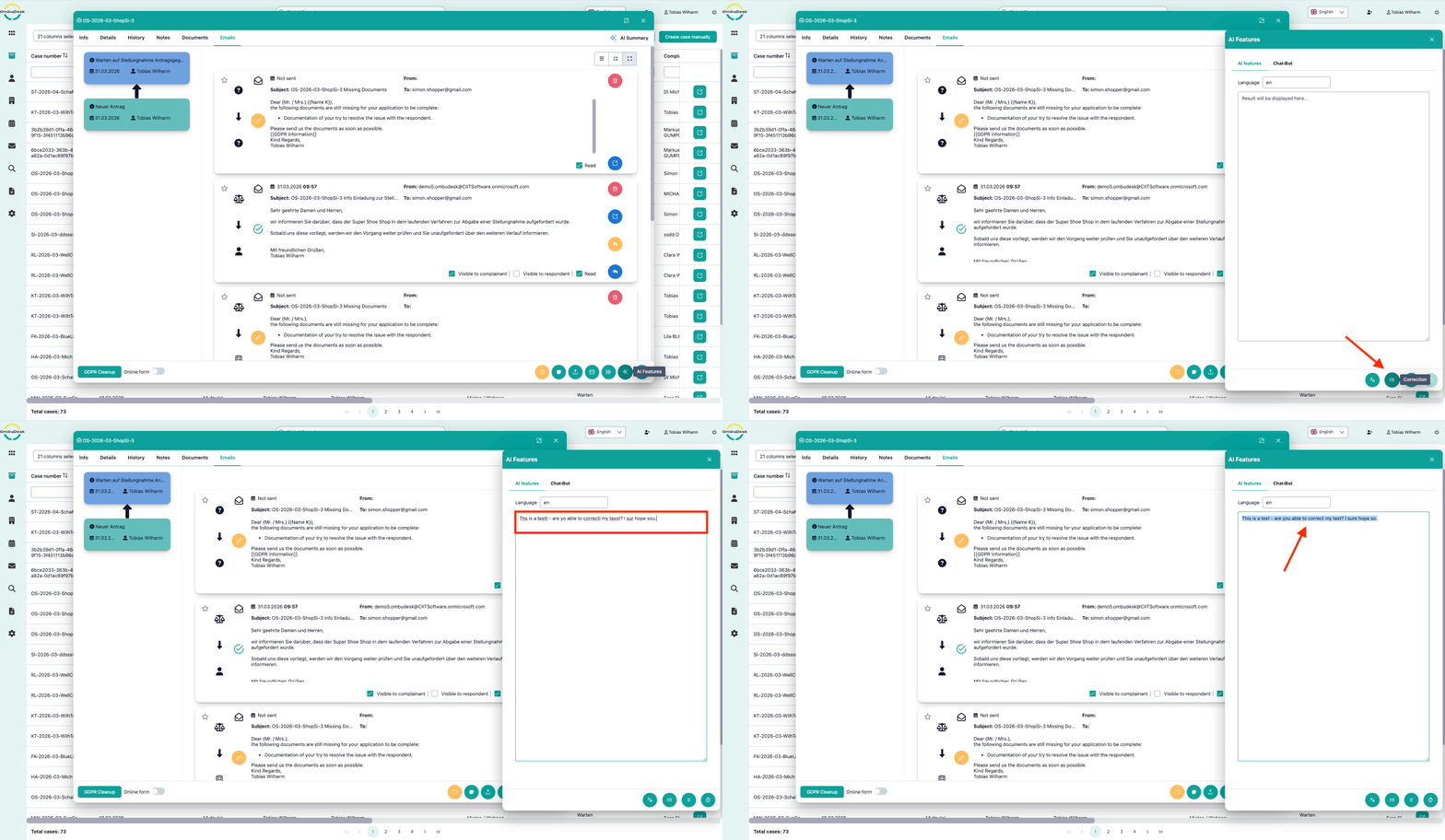
Text correction
Communication is an essential part of any dispute resolution body. Every day case managers send out dozens of messages. That’s why, in OmbuDesk, you can have the content of an email corrected with just one click – using AI – and thus avoid spelling mistakes.
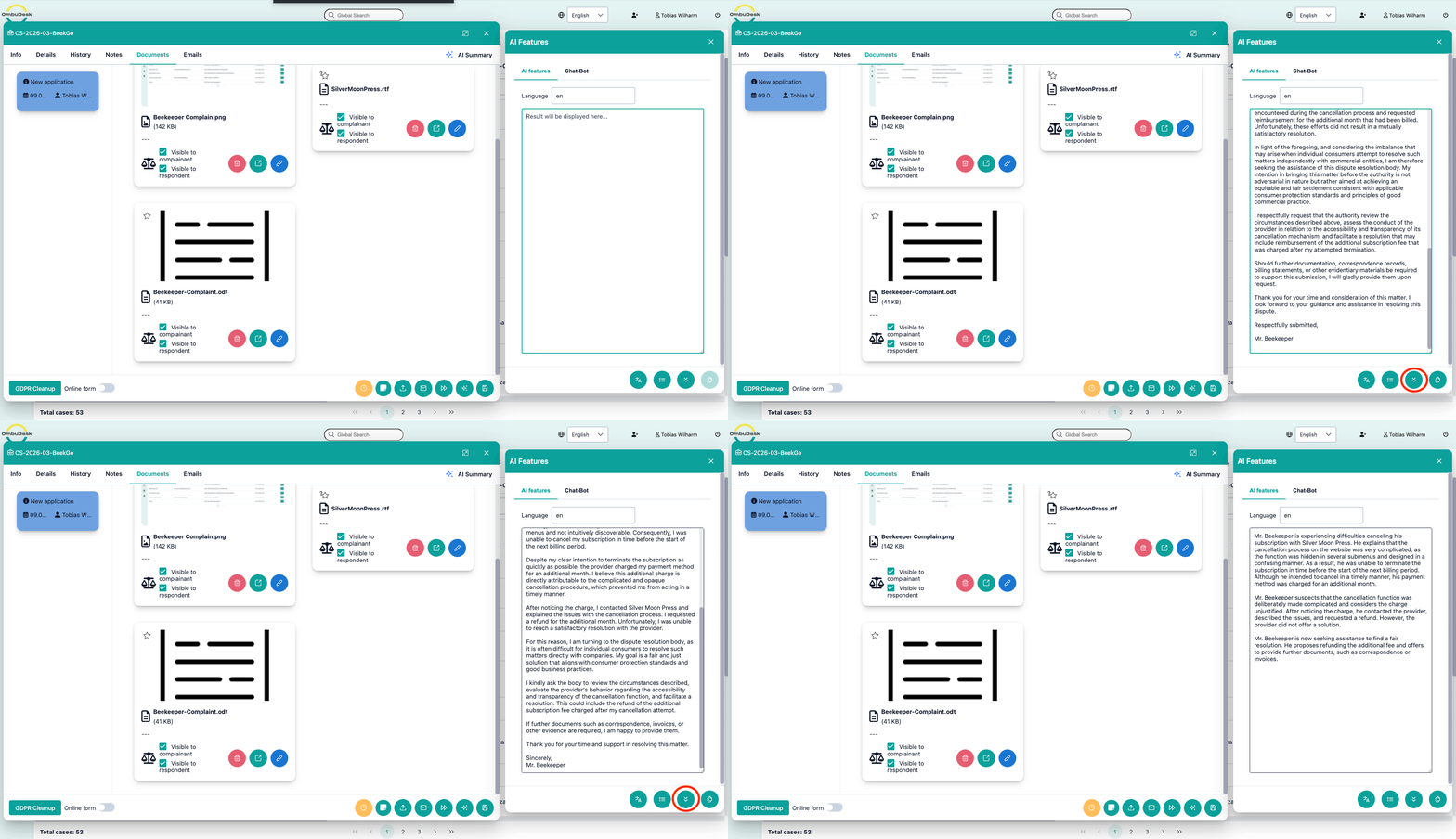
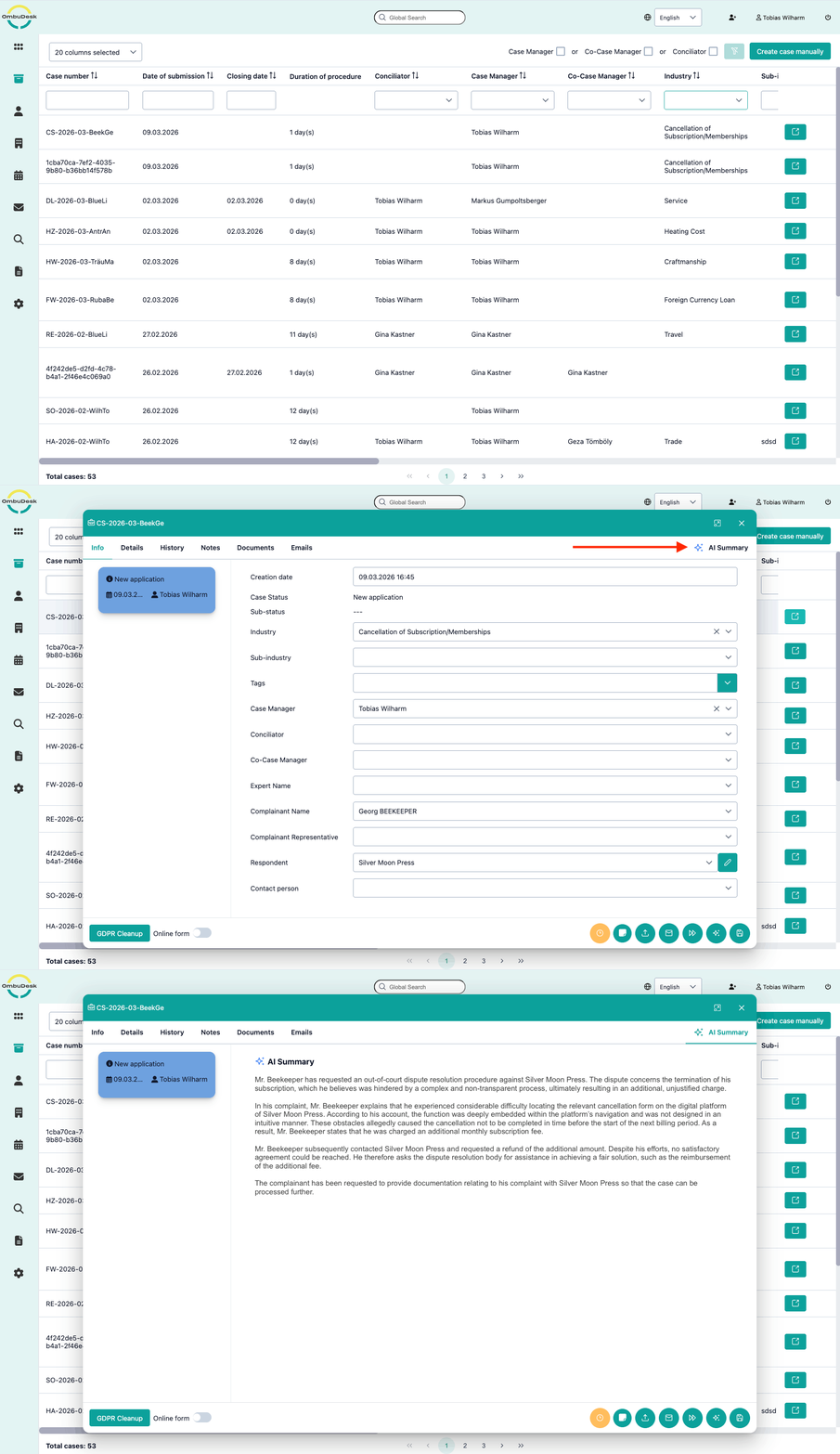
Automated summaries of the file
Summaries are one of the strengths of modern language models. OmbuDesk uses this functionality to create a concise summary of the complaint in real time based on all the available data - including messages and documents. This makes it much to get an overview of a complaint you didn't work on in a long time and this increases the efficiency.
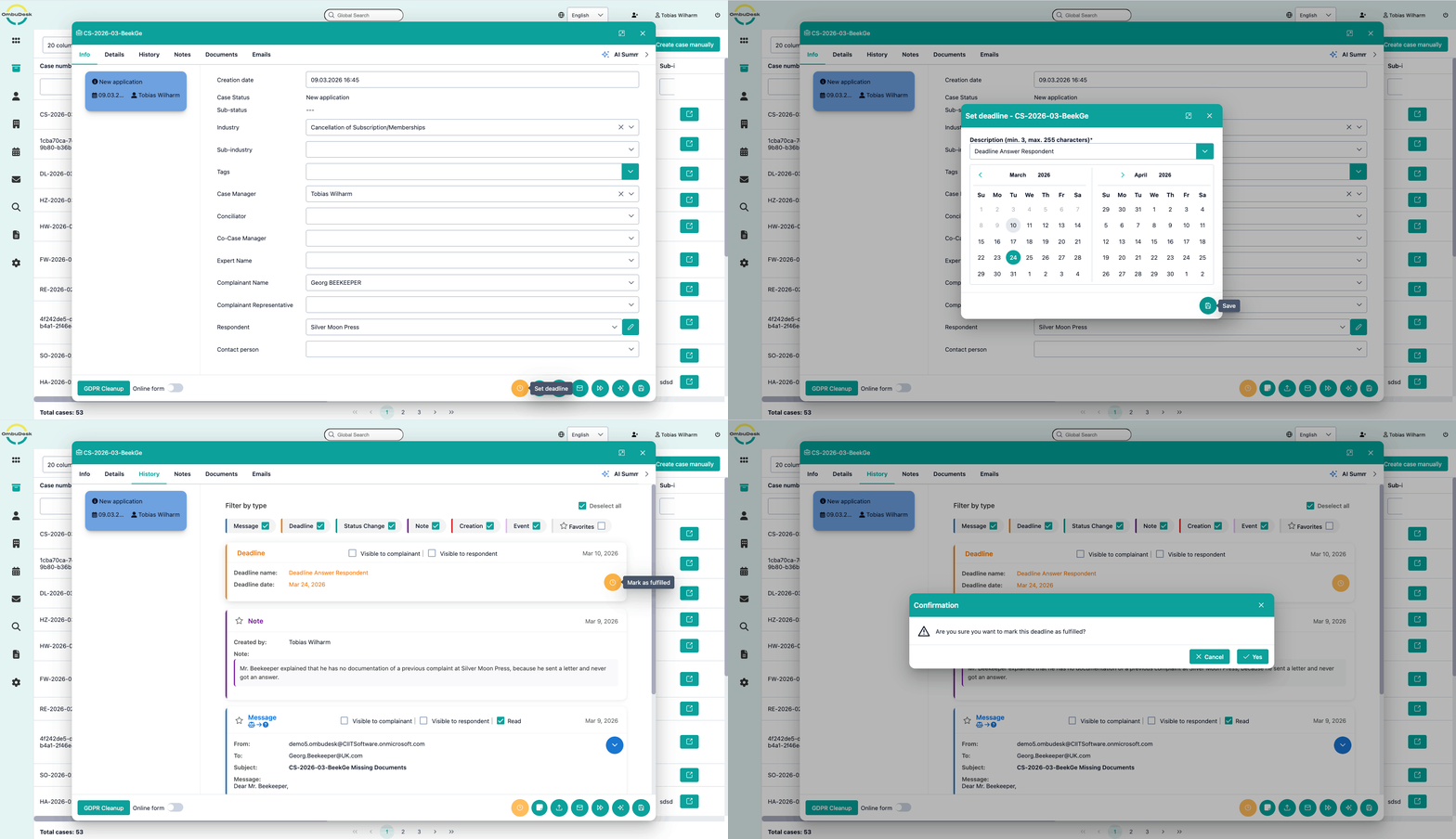
Functions such as setting deadlines, changing statuses, approval mechanisms, and vacation replacement help you to manage the processes involved in case handling.
Deadlines
OmbuDesk enables you to set deadlines so that your complaints are resurfacing at the right time. If a deadline passes, the complaint automatically appears in the dashboard of the person handling the complaint. This triggers the resumption of the complaint processing and ensures that no deadline goes unnoticed. This feature helps case managers to focus on the complaints that are most important at any given time.
Permission and approval processes
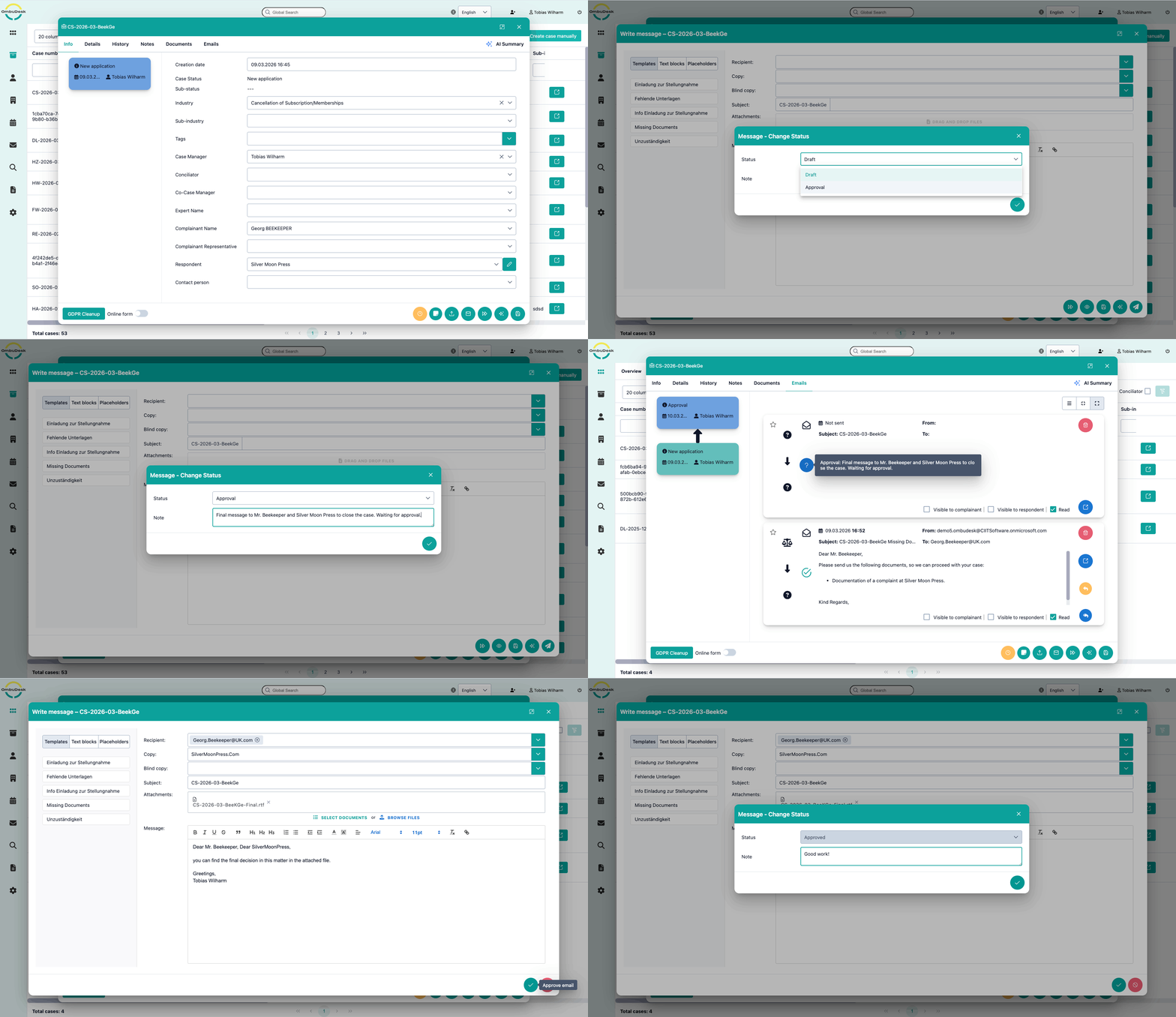
Depending on the organizational structure, it may be necessary to involve additional employees for certain decisions. OmbuDesk supports this with an approval processes. That's why drafts of messages can be forwarded to authorized personnel for approval. These employees are then informed via the dashboard and an email notification that pending approvals are available. As soon as the request has been approved or rejected, the other person is notified. Case processing can then continue. These approval processes are logged to ensure that the underlying decision-making processes are traceable and transparent.
Support for different types of procedures
In addition to simple complaint handling procedures, OmbuDesk can also support advanced types of procedures, such as those conducted through legal channels. Please contact us so that we can assist you in implementing your specific requirements.
Monitoring and tracking of the complaint status
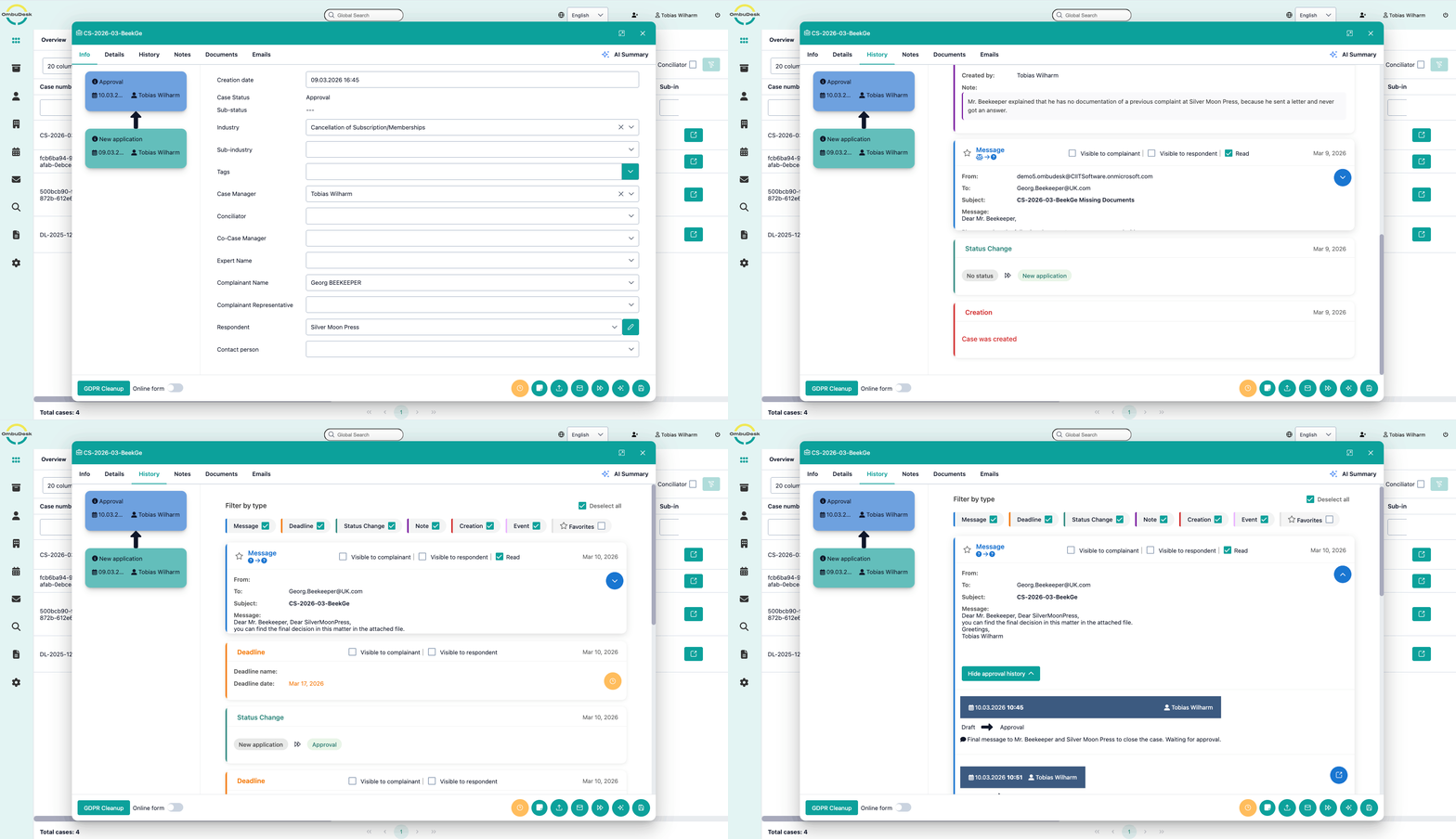
The status of a complaint describes the progress of its processing. The individual terms of the statuses can be freely defined by the administrators. Every status change is logged in the application with the date, time, and name of the person who made the change. The same applies to all messages sent, notes made, and documents uploaded. This ensures that the process is transparent and traceable at all times.
Vacation replacements
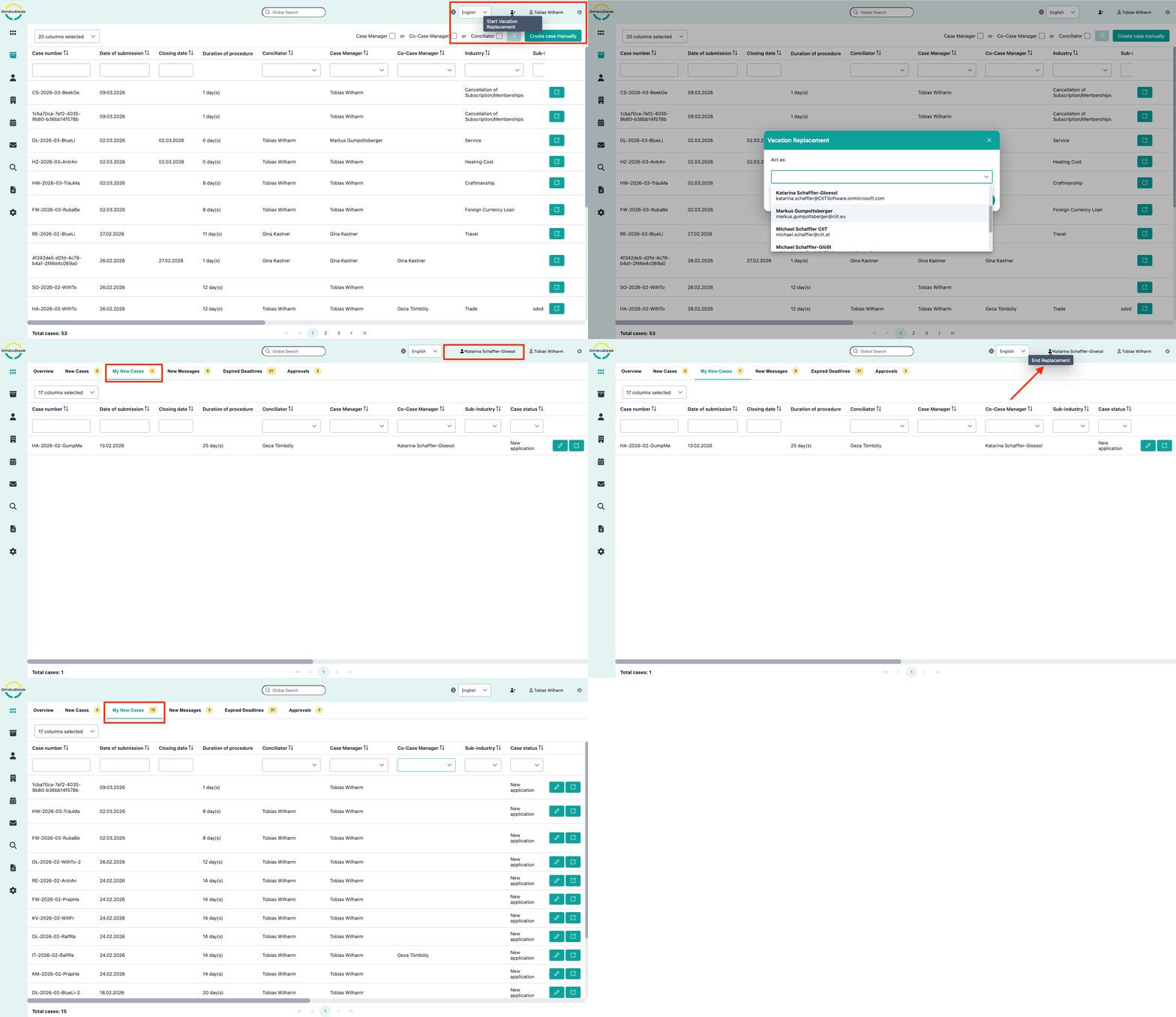
OmbuDesk offers a simple and effective way to cover for colleagues who are on vacation or sick leave. An employee takes on the role of their colleague and navigates within the view of the position they are covering. All actions are recorded by the person actually performing them, ensuring that all steps are traceable, even in the case of vacation cover.
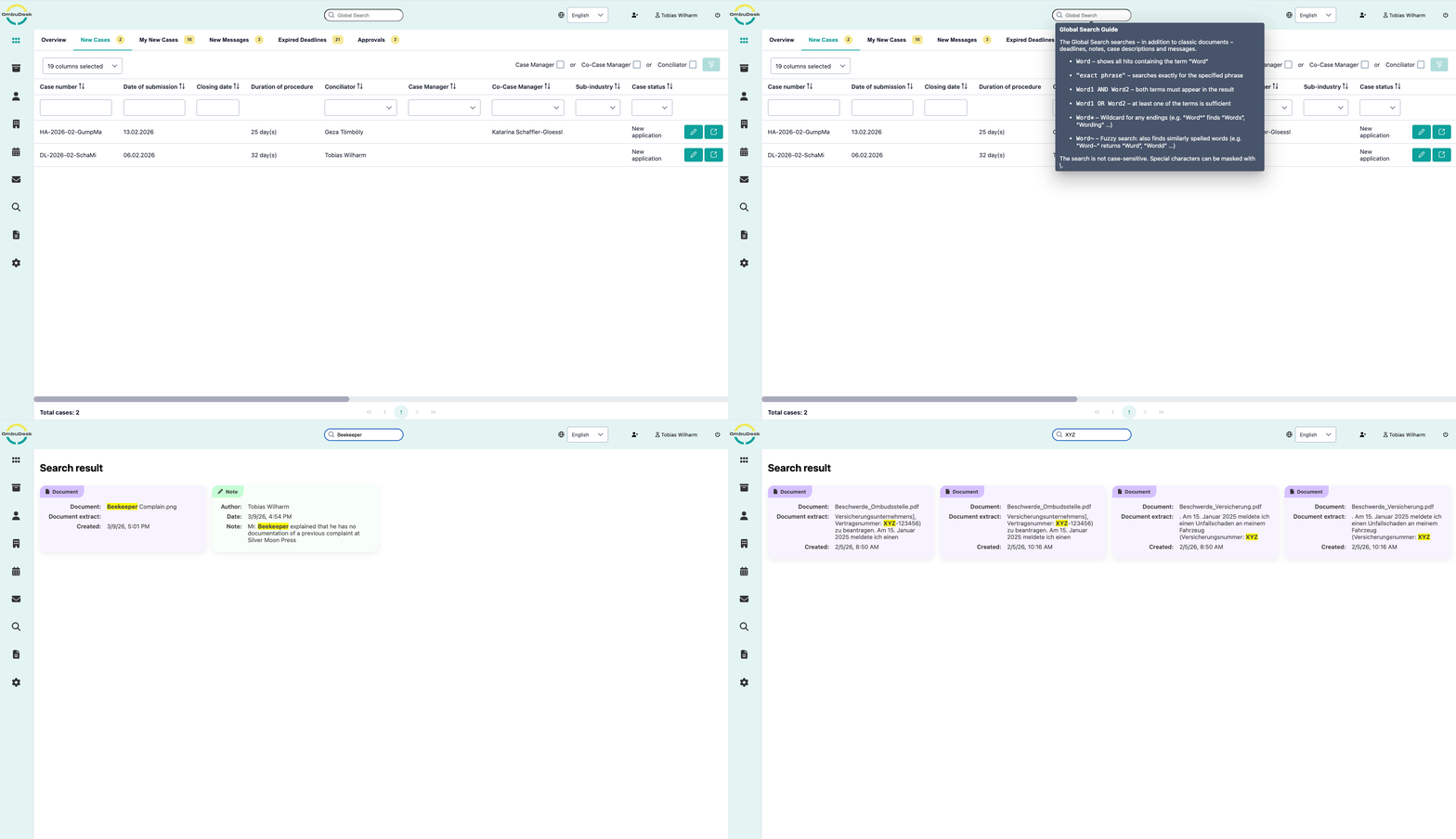
Full-text search
Users of modern applications are accustomed to lightning-fast searches à la Google & Co. OmbuDesk takes this into account by integrating a search engine that can search through very large quantities of complaints in a fraction of a second using a full-text search. The search engine also tolerates typos. This allows you to efficiently search through old complaints for any terms, complainants, documents and notes.
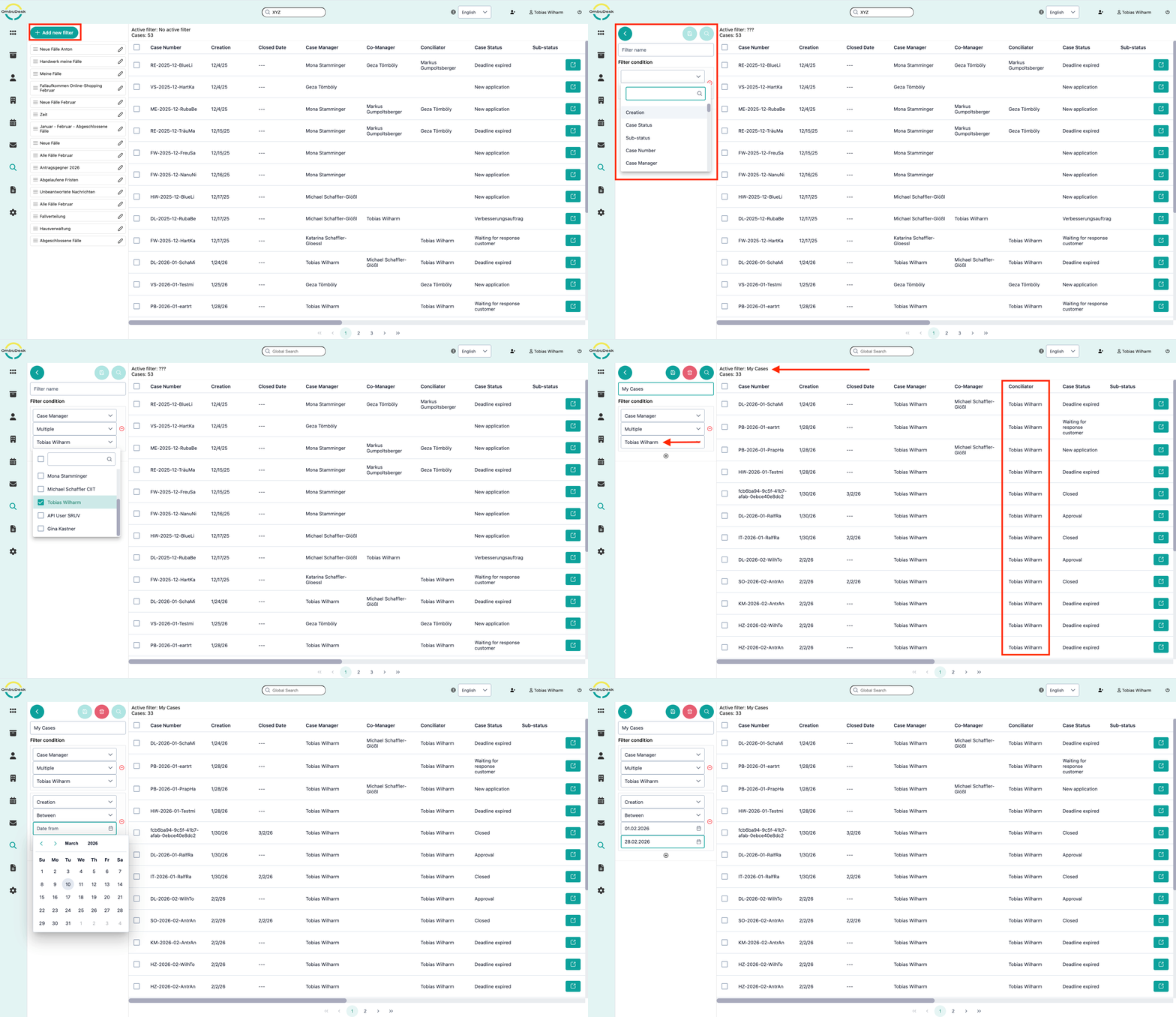
Complex criteria search
In addition to the full-text searches, a complex criteria search can be formulated and combined with any number of filter conditions. Searches configured in this way can be saved under a name of your choice so that they can reused at any time. In this way, individual complaints, completed complaints from the last two weeks, all files with respondent XYZ, and any other complex searches can be formulated and used again and again.
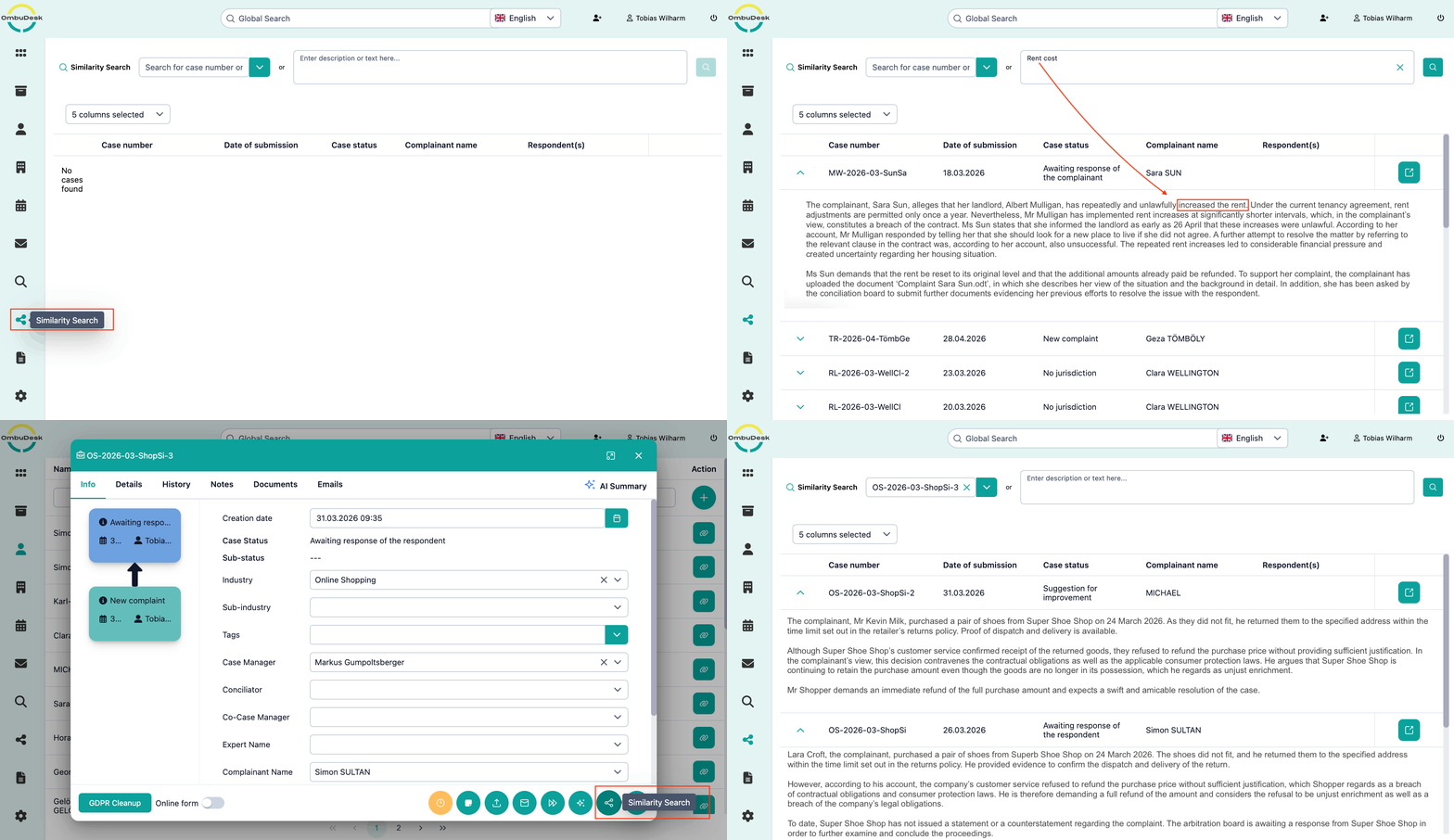
Similarity search
The similarity search is an AI-powered search function. You can use a free-text search to find similar cases across your entire dataset. OmbuDesk will then display cases similar to your search terms, even if the exact wording differs. You can also select a specific file as the basis for your search to find similar cases.
Functions for configuring and customizing the application
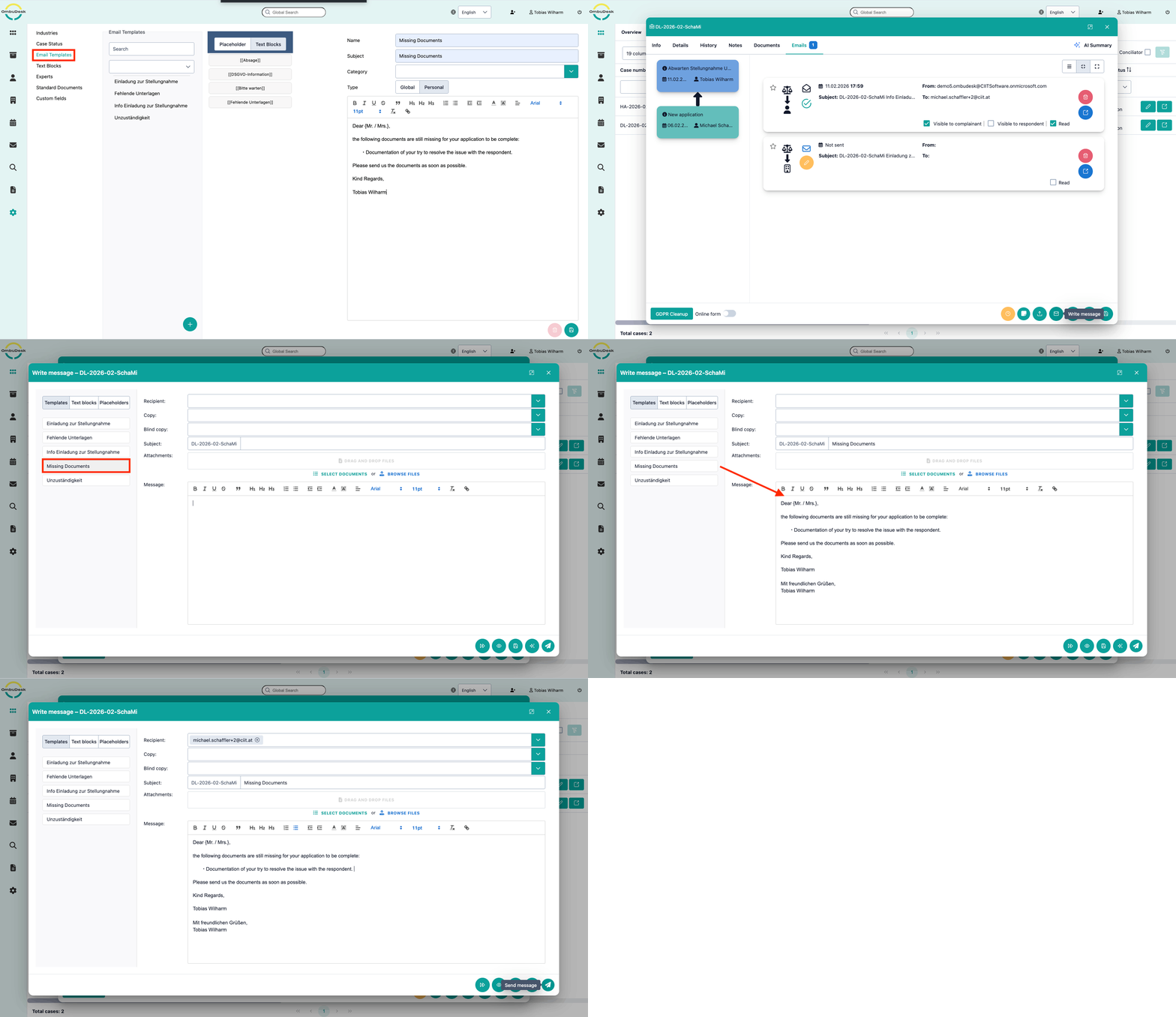
Text templates and text blocks
To enable efficient complaint processing, both global and user-specific text templates and text blocks can be configured by the users. Text templates and text blocks represent frequently used emails or individual paragraphs. Placeholders can be used within these pre-formulated texts, which are replaced by the data of individual fields in the complaint. Examples include salutations, names of parties, case numbers, and many other fields. Text templates can also be linked to the creation of deadlines, so that sending certain text templates automatically trigger the creation of deadlines.
Custom fields
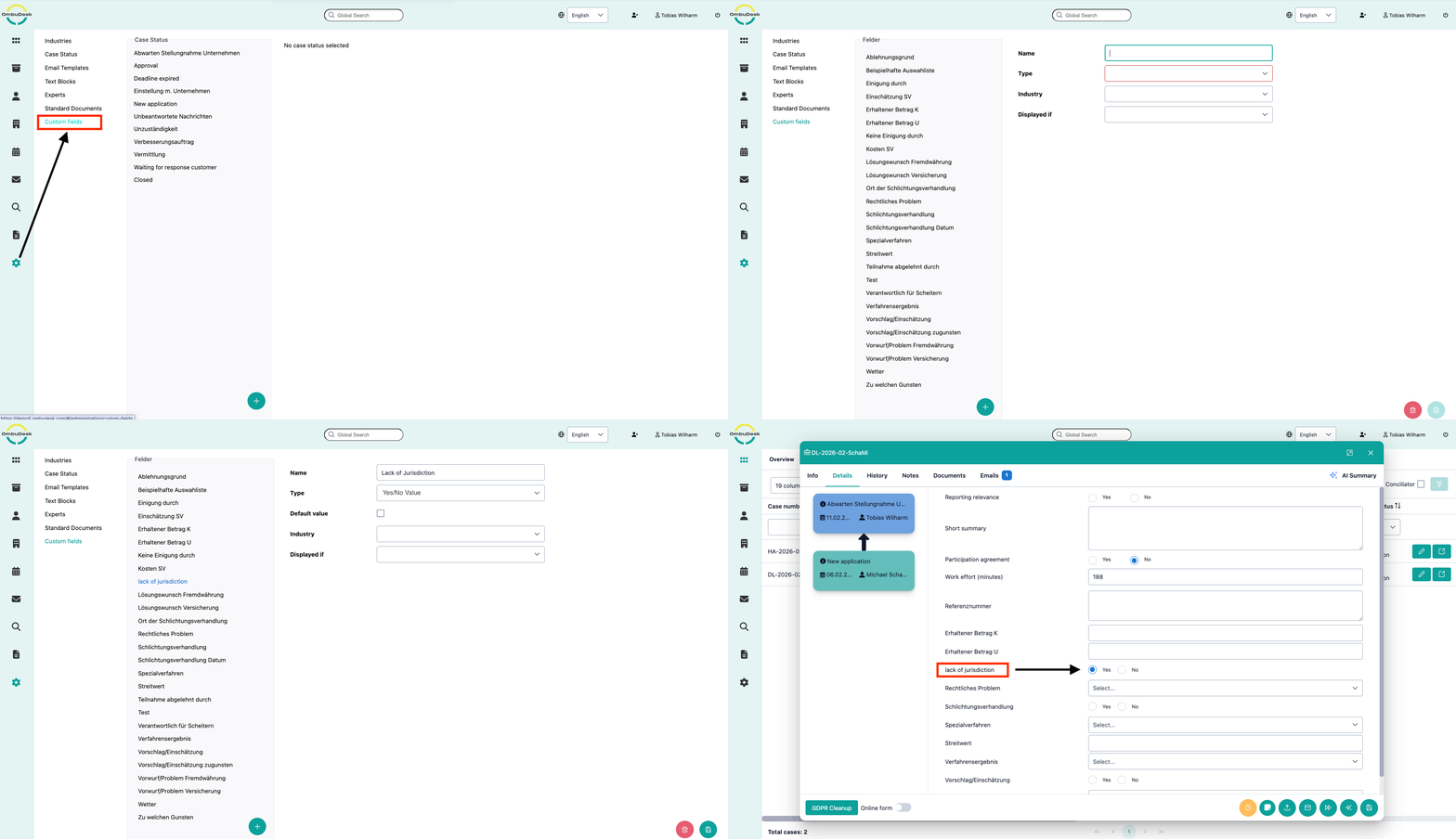
OmbuDesk can be highly customized to meet the specific requirements of any dispute resolution body. These customizations are carried out by our development team at the customer's request. It is also possible to make user-defined customizations. “Custom fields” are fields that are defined by the dispute resolution body itself and are added to each complaint in the file view. It is also possible to automatically transfer these custom fields to the application forms so that they can be filled in directly by the complainant.
User management
User authentication in OmbuDesk is easily done by using the user authentication system already established in the dispute resolution body (keyword: single sign-on). OmbuDesk can be integrated into Office 365, Microsoft Active Directory, Google Workspace, or any other OAuth2-compliant authentication system. If such integration is not desired, the user management system integrated into OmbuDesk can also be used. It supports the creation and blocking of users, the management of rights, and the changing of passwords.
Custom selection lists
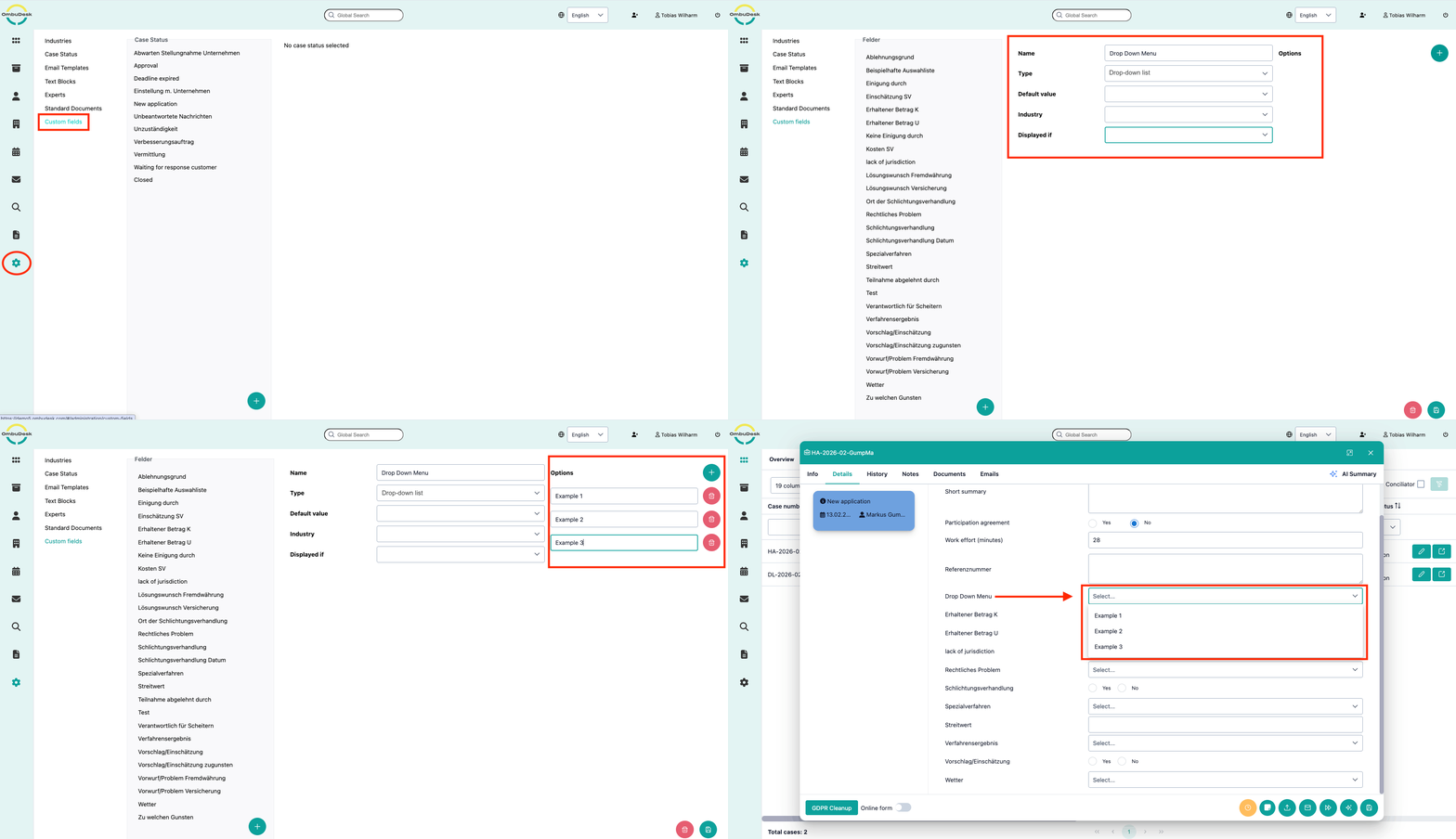
In many places within the software, users are offered selection lists for filling in data fields. These can include the status of a file, salutations, industry selection, or other data fields. To make the application more flexible, administrators of the OmbuDesk platform can configure many of these selection lists themselves.
Microsoft Office 365
OmbuDesk can be integrated into Office 365 on request. User roles (superuser/administrator/case manager) are managed via the Microsoft Entra user interface. Users log in to OmbuDesk using their regular Microsoft login details. This allows OmbuDesk to guarantee maximum security for the login process. Staff additions and departures are thus carried out in a single location, and users do not have to remember any additional passwords. Likewise, all email sending and receiving is done via Microsoft-specific interfaces. The company's email domain is used. In addition to authentication, OmbuDesk supports various forms of reports and exports in Microsoft Excel and Microsoft Word formats.
Google Workspace
OmbuDesk can also be integrated into Google Workspace on request. User roles (superuser/administrator/case manager) are managed via Google Admin. Users log in to OmbuDesk using their regular Google login details. This allows OmbuDesk to guarantee maximum security for the login process. Staff additions and departures are thus handled in a single location. Users do not need to remember any additional passwords.

Microsoft Active Directory
OmbuDesk can optionally use Microsoft Active Directory for user authentication and authorization. You manage your users in MS AD as usual, while OmbuDesk authenticates the users and retrieves the OmbuDesk groups assigned to the user to control their rights.
OAuth 2.0
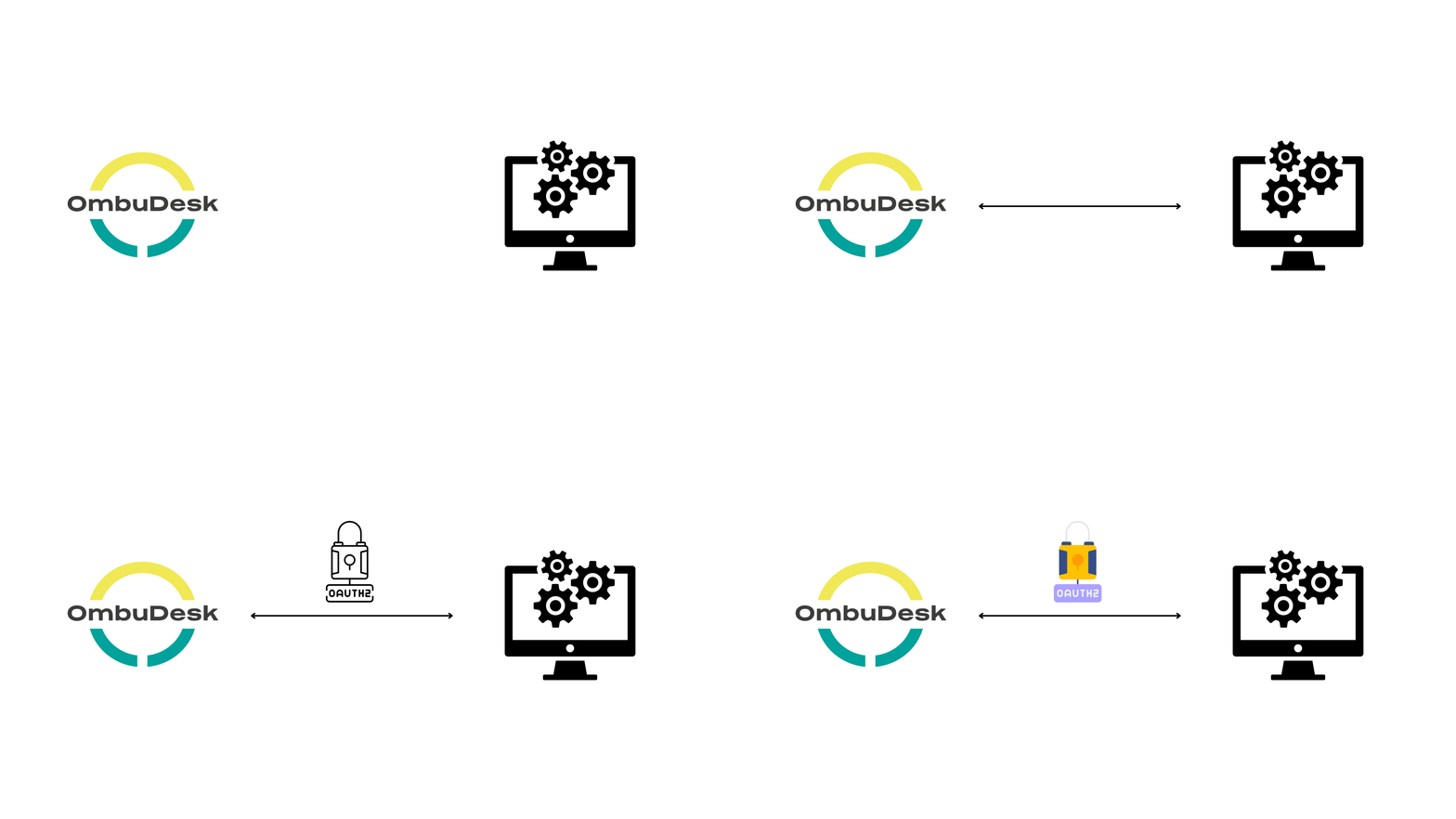
In addition to integration with Microsoft and Google, OmbuDesk can of course also be seamlessly connected to any OAuth 2-compliant authentication server, such as JBoss Keycloak.
ReST API
All functions of the OmbuDesk software are available via a ReST interface. This allows OmbuDesk to be integrated into any other system. Our software engineers will be happy to advise you on the wide-ranging possibilities this offers.
Conversely, we can also integrate any interfaces from OmbuDesk into other systems on request.

Data import/migration of files from the old application
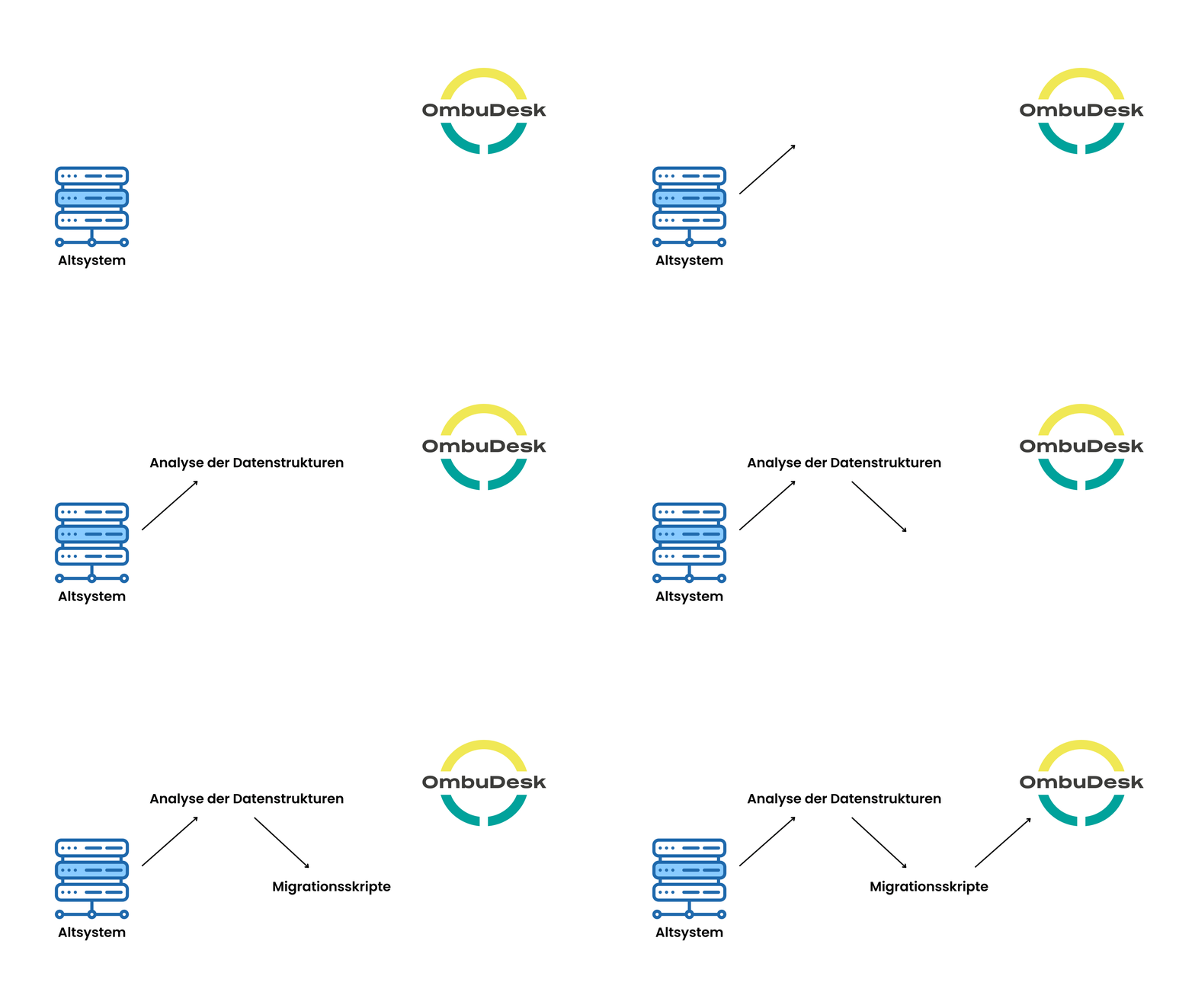
Want to transfer data from your old application to OmbuDesk? No problem. We have extensive experience in migrating data from legacy systems. After analyzing the data structures of the old application, we implement migration scripts that import your old data into OmbuDesk at a defined time, with high performance and fully automated.
Benutzerhandbuch
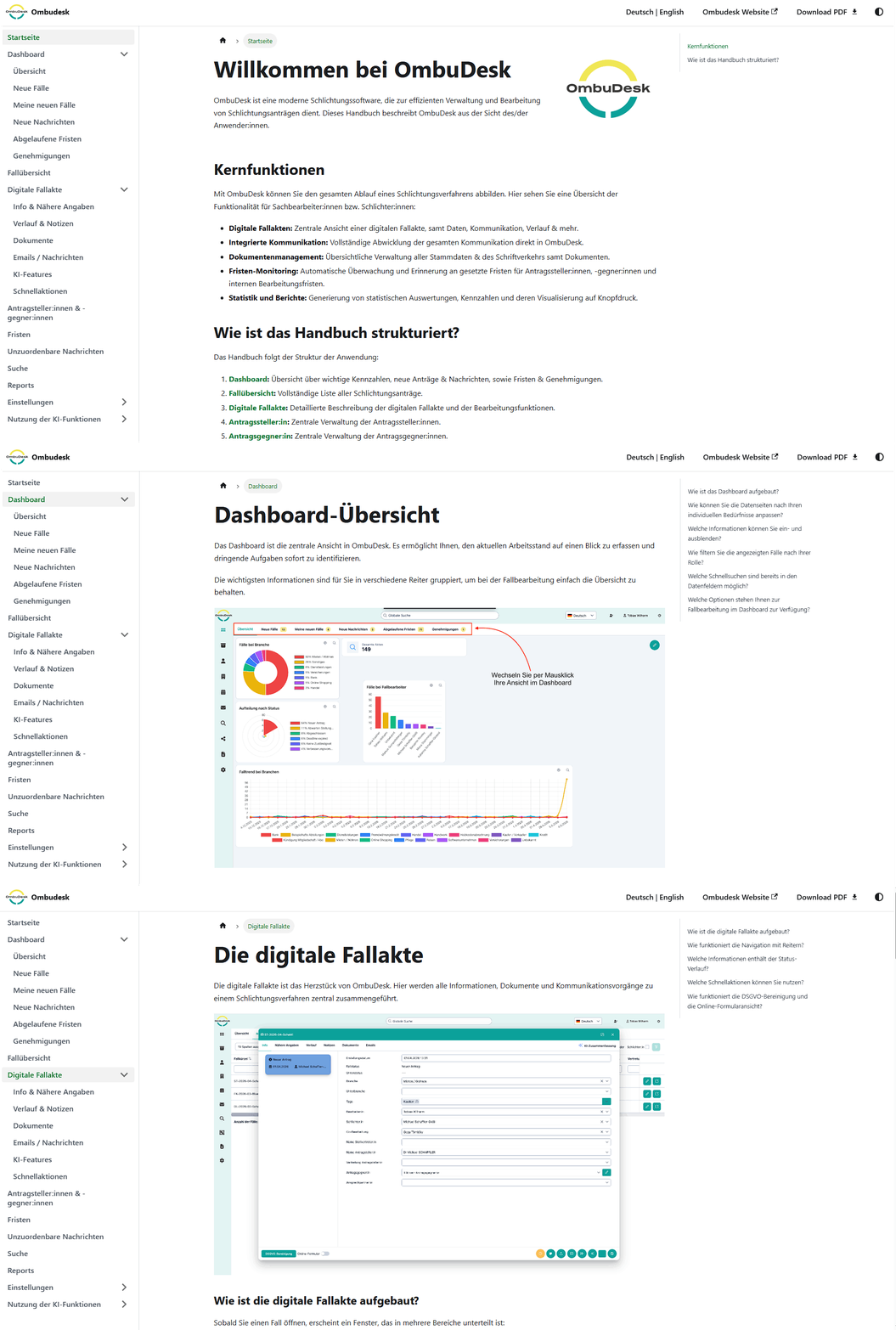
OmbuDesk hat ein integriertes Benutzerhandbuch. Das Handbuch ist sowohl auf Deutsch als auch auf Englisch verfügbar. Alle Funktionen, Such- und Einstellungsmöglichkeiten sind in einfacher Sprache und mithilfe von Bildern erklärt. So finden sich neue und sporadische Nutzer:innen schnell zurecht. Sie finden das Handbuch in der Anwendung in der linken Navigationsleiste.
Alternativ führt Sie dieser Link direkt zum Handbuch:
OmbuDesk is a product from CIIT Software. We have been focusing on the development of customized software solutions for over 20 years. Please let us know your needs and requirements. Together, we will find a solution tailored to your needs.
OmbuDesk is GDPR compliant.
Yes. From June 2025, all websites covered by EU accessibility legislation (EAA) will be required to comply with the WCAG 2.1 AA standard. OmbuDesk already meets all the requirements for this. For example, it is possible to switch to simple language within the text templates.
Yes - you have the opportunity to try out a demo version free of charge for 30 days. See for yourself how efficient our functions are and how easy the administration process is.
Payments are made upon invoice.
If you decide to change your subscription package, please contact us! Together we will find a customised solution for you.